Can Claude Send Emails for You? Ours Drafts and Never Sends

Yes. Since August 2026, Claude’s Gmail connector can send, reply and forward, and it asks before each one by default. Our company brain could send too. Over four months it surfaced 626 threads where we owed a reply, it drafts answers on request, and a person presses send on every one. Every client email it writes lands in Gmail as a draft, and nothing goes out on the AI’s say-so.
That sounds like the cautious, obvious choice. It took us longer to get there than it should have, and the more interesting lesson came later, from a place where we didn’t have a human in the loop and needed something else.
Can Claude send emails on your behalf?
Anthropic’s Google Workspace connectors article says the Gmail connector can send, reply to and forward email, and that Claude asks for your approval before each one by default. On Team and Enterprise plans, an owner decides whether members can switch that approval off, which is the setting I’d look at first. The article doesn’t say where that switch lives, so ask whoever owns your Claude workspace how it’s set. Claude Duet, the agent app Anthropic opened to a waitlist on October 21 for Pro and Max accounts in the US, also drafts replies on its own schedule and waits for approval before sending anything.
If your company is on Outlook, the equivalent is Anthropic’s Microsoft 365 connector. It can send mail and manage drafts, but only after your administrators turn on write actions, and it needs a work or school Microsoft account. Read what else that connector can touch before you turn those on.
So the capability is there, in Claude and in our own setup. We’ve chosen not to let the AI do it, and the rest of this post is why.
How the drafting works
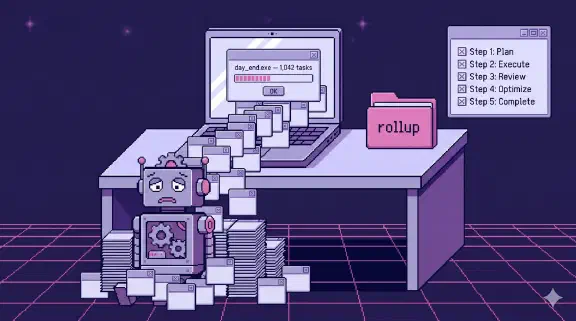
At the end of a working day, each founder runs a day-end process (39 runs between June and September, across two founders). It reads the day’s meetings and email, files what matters into the right client folder, creates tasks, and sweeps the inbox for threads where the last message came from someone outside the company and nobody on our side has answered.
For each owed reply, a small agent opens the full thread in its own isolated context, writes a reply that does one specific thing (“confirm receipt and ask for the signed agreement by Friday”), and creates it as a Gmail draft through one shared library. In the Gmail API, a draft is an unsent message with the DRAFT label, and sending it is a separate call. Our drafter never makes that call. The orchestrator never sees the email body. It gets back a draft ID and a one-line summary.
Two of the drafter’s hard rules matter most here. Drafts only, never send. And never invent a date, a number or a commitment that isn’t in the thread or the instruction it was given.
The rule started in one person’s head
For a while, “never auto-send client email” existed in exactly one place: one person’s private Claude memory. It was a note that one founder’s sessions had learned from feedback. The other founder’s sessions didn’t know it. Neither did the scheduled jobs.
That’s a terrible place for a safety rule. Personal AI memory is great for preferences, like how you like your summaries formatted. It’s a bad home for anything the whole company depends on, because nobody else can see it, review it or notice when it’s missing.
On July 5 we started a decisions log, a single append-only file of company rulings, and this became one of the first entries, logged retroactively from that private memory. It’s ruling D-2026-008, and by October the log held 42 of them. It also sits in our ethos file in one line: AI recommends, clients and partners decide. Commands that touch client email print that ruling when it applies, so the rule shows up at the moment it matters instead of living in someone’s recollection.
If your team uses AI tools, go look for this pattern. I’d bet there are rules your company runs on that live in one person’s chat history.
Why drafts, specifically
A sent email can’t be unsent. It goes to someone outside the company, it carries your name, and the recipient will act on whatever it says. Reviewing a draft costs a minute. That asymmetry is the whole argument.
OWASP reaches the same answer from the security side. Its entry on excessive agency in LLM apps uses an email assistant as the example: an assistant that only needs to read mail is given a plugin that can also send, and a prompt injection hidden in an incoming email gets it to forward the inbox to an attacker. One of the fixes it lists is requiring the user to review and hit send on every drafted email. An agent that can only draft can be tricked into writing a bad draft, and a person still has to send it.
We also run a leak check on every draft before it’s created. It reads the email the way the recipient would and checks seven categories, including other clients’ names, internal pricing, credentials and our negotiating position. The instructions say why plainly: drafts are reviewed by a human anyway, but a clean draft protects the reviewer too. People skim. A reviewer who trusts the system is exactly the reviewer who misses the one sentence that shouldn’t be there.
Some of our commands go further and refuse to create the draft at all. The weekly client update includes a short video, and the template has a placeholder for the link. If the placeholder is still in the text, the command stops and says which project is missing its video. The instruction says it in five words: “never send on a hope.”
Put the human in a separate step
The LinkedIn outreach tooling taught me the most here. It’s split into three separate commands. One writes and edits campaign copy but cannot start a campaign. One starts and pauses campaigns but cannot write copy. One handles replies and can do neither. No single command can both write the words and launch them.
The reason is in the commit message: starting a campaign is a separate invocation “so the person authorising a send is not the person who wrote the copy ninety seconds earlier.” A human in the loop who just wrote the thing they’re approving isn’t much of a check. Putting the approval in a different step, with fresh data pulled from the API, gives the human an actual decision to make.
The write nobody was reviewing
Email is the obvious risk. The incident that taught me more was in task management, where we had decided a human didn’t need to approve each write.
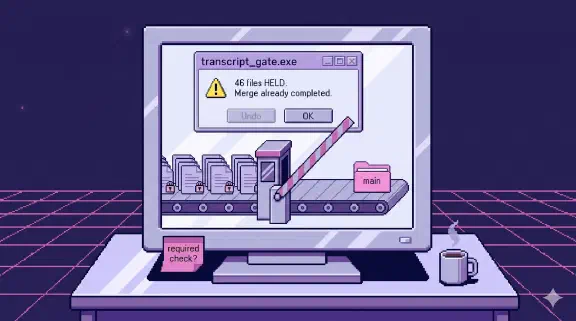
When day-end finds a new task that duplicates an existing one, it merges the new note into the old task instead of creating a second copy. It happens on most runs, and nobody approves each merge. It’s internal, it’s reversible, and putting a human on every one would make the whole process unusable.
During the August 26 run, the deduper transposed two page IDs. A note meant for one task got merged onto a completely unrelated task in a different project. The task tool’s API returned success, because from its point of view nothing was wrong. A valid page got a valid update. It surfaced only when we went back over that run, and the fix was in the next morning.
Instead of putting a human on every merge, we added a check a machine can do reliably: every merge now verifies the target page’s title against the title the deduper expected before writing, and echoes both the ID and the actual title into the log so a wrong target is visible.
That’s the placement principle I use now:
- Irreversible or external (client email, campaign launches, anything a client sees): a person approves before it goes out, in a separate step from whoever wrote it. What’s left afterward is the sent item, and it can’t be pulled back.
- Internal and reversible (task merges, file moves, index rebuilds): no human per action. A script checks the target inline before every write and leaves a log with the ID and the actual title, which a human can read afterward.
The failure mode I worry about most is the middle ground: a human nominally in the loop on something high-volume, approving by reflex. That’s worse than no human, because everyone believes there’s a check.
What this costs us
Drafts pile up. On a heavy day the drafts folder fills faster than anyone wants to read it, and an unsent draft is still an unanswered email. The system makes replying easier and does nothing about whether anyone actually replies.
Reviewing still takes attention, and a draft that needs context the thread doesn’t have will need real rewriting. I’d rather pay that than find out a client received something nobody on our team read.
If you’re setting this up
Start by finding the rules that live in one person’s AI memory and move them somewhere the whole team, and every automated job, can see. Then sort every write the system makes into the two buckets above. External and irreversible gets a human in a separate step. Internal and reversible gets a deterministic check and a log.
How the brain reads email in the first place is in Can Claude Read My Email?. The decisions log gets its own write-up in Write Down the Rulings, and the rest of how we run this is in the pillar post on our company brain. To see drafting from the reviewer’s side, the demo has a made-up agency’s inbox and a Zoom call from this morning. Ask it for the proposal and read the draft yourself. Nothing in it goes anywhere.
Finance tools raise the same approval question with money attached, which I covered in Is It Safe to Connect Claude to QuickBooks?. If you want drafting like this set up for your team on standard Claude, the setup starts at $3,997 for one team of up to 20.