Is It Safe to Connect Claude to Gmail? What It Can Touch

Yes, if you check four things first: what it’s allowed to do after it reads, who has to approve that, who on your team can change the approval, and what happens to the mail it pulls in. Claude’s Gmail connector has a clear answer to all four, and one of them is a setting your company owner controls, not you.
I’ve been on both sides of this. Our company read its email with Claude through a system we built ourselves, starting in April, and it has filed more than 1,200 of our threads. The official Gmail connector now does most of what we built, so this post covers what the connector can touch, what we learned running our own, and the checklist I’d use on any AI that wants your inbox.
What Claude’s Gmail connector can do
Gmail is one of Claude’s Google Workspace connectors, and its directory listing names Google as the maker. According to Anthropic’s help article, once you connect your Google account, Claude can:
- Search and read your mail when you ask a question, like “what did the client say about the deadline?”
- Draft emails, and list the drafts already saved in your account.
- Send, reply to and forward emails from your Gmail.
- Organize mail with labels and threads.
The listing shows more than that article does: 29 tools, 23 of which change something by my count from their names. They include trashing mail, marking spam, deleting labels and creating filters, and a Gmail filter can forward or delete mail that hasn’t arrived yet. You can see them next to every other app in the table of what 33 common connectors can change.
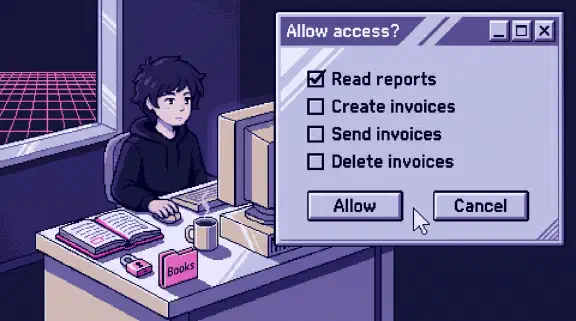
By default, Claude asks for your approval before each of those actions. On Team and Enterprise plans, the company’s owners decide whether members can let them run without asking. That’s the setting I’d look at first in any company: if it’s on, someone can tell Claude to send without a click from them. Owners can also block a tool for everyone, so people can search and read their mail but Claude can’t send it.
It reads only the Google account you connected, and it mirrors your own access, so it can’t open anything you couldn’t. Attachments come through as metadata only, so Claude sees that a file is attached but not what’s inside it.
On Team and Enterprise plans, an owner has to switch the Google Workspace connectors on for the organization before anyone can connect. Then each person signs in with their own Google account. In Claude, that’s Customize, then Connectors, then Gmail.
What it keeps, and what it trains on
Anthropic’s article says two things worth knowing. Mail Claude pulls into a chat stays with that chat, and deleting the chat deletes it. And Anthropic doesn’t train its models on your Gmail, Drive or Calendar connector data. The one exception is on personal accounts: if you’ve allowed your chats to be used for training, anything you copy and paste from your mail, or from a Claude answer that includes details from it, may be used to improve Anthropic’s models.
The same connectors show up in Cowork, Anthropic’s agent mode, and in Claude Code: if you sign in to Claude Code with your claude.ai account, connectors you added in claude.ai are available there. Anthropic’s own Cowork safety guidance names emails as one of the places hidden instructions can come from, which matters more once Claude can act on what it reads.
What about Outlook?
Outlook goes through the Microsoft 365 connector, which searches Outlook email and archived mail, along with SharePoint, OneDrive and Teams. It needs a work or school Microsoft account (personal outlook.com and hotmail.com addresses aren’t supported), and a Microsoft Entra Global Administrator has to grant consent for your organization first. Sending mail and managing drafts only work after your administrators turn on write actions. We run on Google, so I haven’t tested it, but every question in the checklist below applies the same way. What it can reach is in Is It Safe to Connect Claude to Microsoft 365?.
What we learned running our own
We built our email reading before the connector could send or draft, and we still run it. A job reads each connected mailbox through Google’s API on a schedule and writes the threads into the same repository that holds our client folders and call transcripts (the whole setup is in the pillar post). Each founder’s end-of-day run files whole threads, one markdown file per thread, with the thread ID, participants and dates at the top. We have more than 1,200 of those files across 76 client and internal folders.
The question that justified all of it is some version of “what did we promise them?” In our company, commitments mostly live in email. Nobody writes “we agreed hosting is included” in a project doc. They write it at 6pm in a reply. The second use was finding replies we owed: between June and September, the founders’ day-end runs surfaced 626 threads where someone outside the company was waiting on us (that story, and why the AI drafts but never sends).
It also took real work, and it still does. The Google login behind our sessions expires about once a day, the sync needs someone watching it, and the same client thread sits in both founders’ inboxes, which took a shared table and a rule about who owes the reply to sort out (two founders, one brain). If I started today, I’d start with the connector and spend the time on the rules instead.
The checklist I’d run on any AI with your email
Reading is the smaller risk. The bigger one is what the AI is allowed to do after it reads. I’d ask these about Claude, ChatGPT (same questions, ChatGPT’s answers), or anything a vendor sells you.
- Can it send, and who has to click? Claude’s connector can send, with your approval on each email by default, and on Team plans the owner decides whether that can be turned off. Ours can technically send too, because our Send button needs the permission. Google treats reading your mail as the bigger grant: in its Gmail scope list, sending is in the sensitive tier and reading is in the restricted tier, the strictest one. So ask which actions need a human click, and whether that’s enforced in code or a setting someone can flip.
- Does anything check what goes out? Every client draft we write goes through a leak check that reads it the way the recipient would and looks for seven kinds of leaks: other clients’ names, internal pricing, credentials, outdated offers and the like. A human still reviews it. People skim, so the check catches what they’d miss.
- Is access per person, and can you take it back? With the connector, each person connects their own mailbox and can disconnect it without touching anyone else’s. If a tool reads everybody’s mail through one shared admin account, ask why.
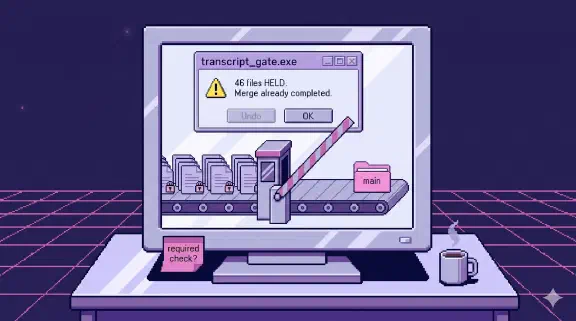
- Where do the copies go? The connector keeps mail with the chat. A sync like ours makes copies, which is the point, and copies of email are as sensitive as the email. I learned what a missing check costs the day 46 confidential transcripts reached main.
- What happens when an email contains instructions? Anyone can email you, so anyone can put text in front of your AI. Keep a human in front of anything that leaves the company.
- What does the vendor keep, and does it train on it? Get the answer from their docs, not from a sales call. Law firms have the strictest version of this question, and I wrote about how they’re handling AI after a legal conference.
Claude Duet, the agent app Anthropic is opening to Pro, Max and Ultra users in the US through a waitlist, raises the stakes on all of these. It checks your connected accounts at set intervals without being asked, and its morning brief can start drafting replies before you ask for anything. I wrote the same checklist for finance tools in Is It Safe to Connect Claude to QuickBooks?.
How to disconnect Claude from Gmail
In Claude, go to Customize, then Connectors, find Gmail and select Disconnect. That stops new access from Claude’s side. To make sure the grant is gone at Google too, open your Google account’s third-party connections page, find the Claude entry and remove its access. Do both when someone leaves the company, and for any app you connected once and forgot about.
For one person, or for a team
For your own inbox, turn the connector on this afternoon and leave the approval on. For a team, the connector is the easy part. The work is deciding who approves what, writing down what never goes out by email, and getting everyone connected the same way, so ten people don’t end up with ten different setups. That’s what I set up for teams, on standard Claude Team: One job live on your real work by day 14, or all your money back.
To see what it feels like first, try the demo. It’s a made-up agency’s inbox, calls and docs. Ask it what was promised to a client, then open the exact email the answer came from.