Can My Employer See My ChatGPT Chats?
Yes, if you’re signed in to your company’s ChatGPT Business, Enterprise or Edu workspace. OpenAI says admins can’t browse your chats by default, but a Business owner can export a member’s data, and on Enterprise anyone holding an owner-approved compliance key gets your messages, temporary and locked chats included. A personal Free, Plus or Pro account on your own email has no company admin. Your profile menu shows which workspace you’re in.
I haven’t tested any of this in a live workspace or run an export. It comes from OpenAI’s help center, its enterprise privacy page and its Codex docs, all read on November 5, 2026. It isn’t legal advice. There’s also the Claude version.
Can a ChatGPT Business admin see my chats?
Not by browsing. The Business FAQ says “By default, admins and owners cannot see all private member chats,” and the apps page says Business admins “do not automatically gain access to members’ ordinary private conversations.” The roles table has no row for reading chats.
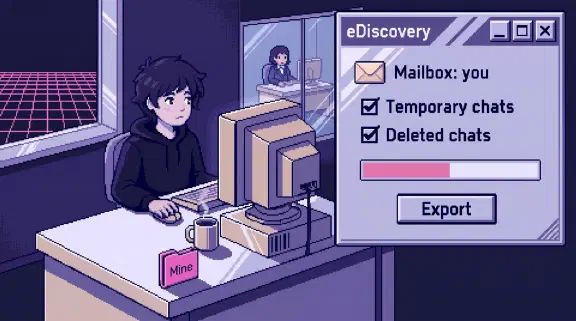
Two other OpenAI pages go further. The Business privacy page says “Workspace owners can export a member’s data when the Export data option is available,” from the Members page. And OpenAI’s enterprise privacy page, last updated January 8, says Business admins “can view, access, export, and delete end user conversations in the workspace.” Those don’t line up, so I’d assume an owner can get your chats. A workspace can have several owners.
Show the data
| Who | Can they get your chat text? | What else they get |
|---|---|---|
| Personal (Free, Go, Plus, Pro) on your own email | No company route through OpenAI | Nothing. A work laptop or network is a separate question (below) |
| Business Member | No | Nothing beyond the member list |
| Business Analytics Viewer or Admin | No route in the help center. The privacy page says “admins” can view | Per-member messages and credits, Codex leaderboards |
| Business Owner | Yes, one member at a time, by export | Everything an Admin gets, plus roles and seats |
| Enterprise or Edu Analytics Viewer or Admin | Not chat messages. An Admin can create a key for app logs, which “can include an app request and related response information” | A per-user usage CSV with your email. Admins also get audit logs |
| Enterprise or Edu Owner, or anyone holding their key | Yes. Only an Owner can grant “the Conversation messages permission” | Everything above |
The Enterprise route is the Compliance Platform, which feeds your messages into tools like Microsoft Purview, Relativity or Smarsh. OpenAI keeps those logs 30 days, and the company keeps whatever it downloads for as long as its own policy says. Business doesn’t have it.
Can my employer see my temporary ChatGPT chats?
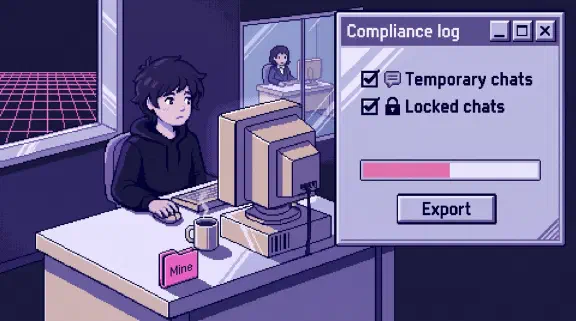
On Enterprise, yes. OpenAI says “temporary chats are available through the Compliance API for 30 days, including when the workspace has a different custom retention period.” On Business, I found nothing saying whether an owner’s export includes them. Treat a temporary chat on a work account as reachable.
Do locked chats hide anything from my employer?
Only from people looking at your screen. Locked chats started rolling out to work plans on October 20 and put a chat behind a 4-digit PIN. The help page says they “do not override your organization’s access to workspace data,” and on Enterprise and Edu they’re “still included in conversation message logs.” Admins can’t unlock them or turn the feature off.
Can my boss get ChatGPT to summarize my chats?
Not about you personally. Enterprise and Edu have Task insights, which sorts the workspace’s conversations into task types and topics “without exposing individual prompts, conversations, or user-level activity.” It’s on by default (off in workspaces with EU data residency), and admins or owners can turn it off. In its heat map, a group with fewer than 10 people doesn’t get its own row. I found nothing like it for Business.
Will I know if my boss exports my chats?
Assume not. No OpenAI page I read mentions telling members about an export or a compliance pull. What you do get is the “Managed ChatGPT Account Notice” when your account is set up. It says your administrator “may be able to access, export, audit, retain, delete, and opt-in to share data tied to this account with OpenAI to improve OpenAI’s models.” That last part surprised me. Ask whoever runs the workspace whether model sharing is on.
What usage data can my boss see in ChatGPT?
Per-person numbers, without any export.
- Business: since April, a member-level table with “seat type, credits spent, and messages sent,” visible to Owners, Admins and Analytics Viewers. Since May, Codex analytics adds “user leaderboards” and “accepted lines of code.”
- Enterprise and Edu: a CSV by user with your name, email, message count, your rank in the workspace, models used and your first and last active days. It “does not expose” message text or file contents.
For what connected apps can reach, see the ChatGPT and Gmail post and the connector table.
Can my employer see my Codex prompts?
On Business, no route is documented. OpenAI says “each user has their own chat and Codex history.”
On Enterprise, assume yes. A February release note says admins “can use the compliance API to manage and log Codex usage,” and the compliance docs list a codex_log record type. I couldn’t read the schema, so I can’t say whether every local prompt lands there.
Two more routes run on the laptop itself. Codex’s OpenTelemetry export is off by default with prompt text redacted, but IT can push telemetry settings that override yours, and the prompt switch is one of them. And Codex saves session transcripts on your laptop by default, under ~/.codex/, where anyone who can read the disk can read them.
If I delete a ChatGPT chat, can my company still get it?
On Enterprise, for a while. The compliance logs are “immutable, append-only,” so messages logged before you deleted the chat stay there up to 30 days, and in any company archive after that. OpenAI’s delete page says it plainly: “Authorized compliance tools may still access eligible workspace data under your organization’s retention policy.”
Everywhere else, deleted chats are removed from your view at once and purged within 30 days, with exceptions for security and legal holds. Files saved to Library or Space are separate, so delete those too. If you remember the court order over the New York Times lawsuit, OpenAI says it ended on September 26, 2025, and it never covered Enterprise or Edu. If your company has told you to preserve records, ask before you delete anything.
Can I take my ChatGPT chats with me when I leave?
Not on Business or Enterprise. Self-service export “is not available in these workspaces,” so you’d have to ask an owner. On Edu, an owner can turn member export on, and it’s off by default. Personal accounts export from Settings, then Data controls.
If you merged a personal account into the company workspace, those chats stay with the company when you go: migrated content “does not move back to your personal workspace.”
Can my employer see my personal ChatGPT account on a work laptop?
Through ChatGPT, not if it’s on your own email. OpenAI says “you manage your personal workspace, not an admin,” unless an Enterprise or Edu workspace has claimed it. For anything private, use your own account on your own device. On a work laptop or network, watch these.
- Your work email. Enterprise owners and admins get a list of people using personal ChatGPT on the company’s email domain. It shows when each account was created, not what’s in it. Joining can then require you to merge that account or delete it, with 7 days to export first. Business lets you keep it separate.
- The network. Enterprise Workspace Blocking adds a header that filters out “any other workspaces (including personal workspaces).” It needs SSL inspection, which means the network is decrypting ChatGPT traffic. Microsoft Purview also names ChatGPT among AI services it can watch.
- The disk. The Codex folder above sits on the laptop whatever account you use.
- Merging. Merged chats fall under “your organization’s access and retention policies,” with no undo. Export first if they’re private.
How is this different from Claude?
I have a stake: I set up Claude for small teams, so read this part knowing that. On the main question the two land close together. Neither lets an admin scroll your chats, and both give one role a way to export them.
ChatGPT does better for employees in a few places. Task insights never names a person or shows a prompt, while Claude Enterprise’s smart reports can reveal names if an Owner allows it. OpenAI also hands you a written notice when your managed account is set up. Claude does better in others. A Claude Owner can let members export their own chats, which ChatGPT Business and Enterprise don’t offer, and Claude gives at least 30 days’ notice before claiming a personal account where ChatGPT Enterprise gives 7. On ChatGPT Business, any of several owners can export; on Claude Team, only the one Primary Owner. The full comparison is all four tools side by side.
What should I tell my team about ChatGPT privacy?
Paste this into a message and fill in the brackets. Delete anything untrue.
ChatGPT gives us no way to browse your chats in the app. Our workspace owners are [names], and an owner can export a member’s data. We’d do that only for [the reasons you’d use], and [second name] would know first. [On Enterprise: [Name] holds our compliance key, which reaches every message, including temporary and locked chats, and our archive keeps them for [period].] Admins can see per-person usage: messages sent, credits and, for Codex, a user leaderboard. A locked chat hides it on your screen, not from the company. A personal ChatGPT account on your own email isn’t in our workspace and we can’t see it through ChatGPT. Don’t merge it into ours unless you mean to. This laptop and network are company equipment, and [our monitoring policy] applies.
On Enterprise, owners and admins can show a policy inside ChatGPT, which appears again whenever it changes. Put the message there too. The legal notice rules in the Claude post (the UK’s ICO, New York’s monitoring law) apply the same way here, so read that section and ask a lawyer.
Keep the owner list short. Each owner can export, so the office manager who handles billing doesn’t need the role.
What I couldn’t confirm
- What a Business owner’s export contains. Temporary chats, files, memory and Codex history are all unstated, and so is when “Export data” appears.
- Business retention. OpenAI’s enterprise privacy page says admins can control it. Another page says a removed Business member’s chats are “retained indefinitely.” Assume they stay until someone deletes them.
- “Can view” on Business. The enterprise privacy page and the help center disagree. I went with the help center for both: no browsing, and export by owners.
- Codex prompts in Enterprise logs. The record type exists. Its fields sit in an API reference I couldn’t read.
- Network blocking on Business. Workspace Blocking is documented for Enterprise only.
A Business owner can settle the first one with a test export. Tell the team first. Put a made-up word in a throwaway member’s regular chat, temporary chat, locked chat and Codex session, export that member, search the file, then delete the download.
What should I do next?
If you run the workspace, count your owners, then send the team message above this week.
If you don’t, send this page to whoever does and ask them to fill in the brackets in the team message.
The setup planner gives you a rollout plan, no email needed. Or bring your message to a 30-minute call.