Can My Employer See My Copilot Chats?

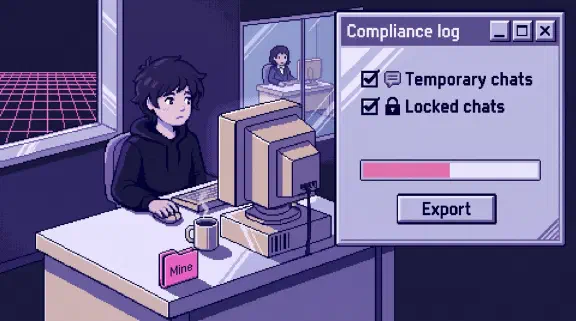
Yes, if you’re signed in with your work account, in Microsoft 365 Copilot or the free Copilot Chat. Microsoft stores every prompt and response “in Exchange for auditing/eDiscovery,” inside your own work mailbox, and anyone your company gives the eDiscovery role can search and export them, temporary chats included. Deleting a chat doesn’t settle it if your company keeps a retention policy. A personal Microsoft account is separate. Check which one you’re in: the Copilot app shows a “Work” label under your profile on the company side.
I haven’t tested any of this in a Microsoft 365 tenant. It comes from Microsoft’s Learn and Support pages and one Microsoft blog post, read on November 5, 2026. Anything from a non-Microsoft source is labeled. It isn’t legal advice.
A naming warning first. Microsoft’s docs now say “Microsoft 365 Copilot is now named Microsoft Copilot,” and Copilot Chat is now Microsoft Copilot Chat, which is also roughly what the consumer app is called. Here, Microsoft 365 Copilot means the paid license, Copilot Chat means the free version on a work account, and personal Copilot means your own Microsoft account.
Where does Copilot keep my chats?
In a hidden folder of your work mailbox. Microsoft’s retention page says that folder “isn’t designed to be directly accessible to users or administrators, but instead, store data that compliance administrators can search with eDiscovery tools.” Copilot’s memory of you sits in the same mailbox, and files you upload to Copilot Chat go to your OneDrive.
That matters because the company already owns the mailbox. No extra setting is needed. On the free tier and the paid one alike, your chats are company records from the first prompt.
Show the data
| Who | Can they get your chat text? | What else they get |
|---|---|---|
| Personal Copilot (your own Microsoft account) | Not through the company’s Microsoft 365. On a managed laptop, Edge can be set to capture what you type into AI sites (see below) | Nothing from Microsoft 365 |
| Global Admin or AI Administrator | Yes, in small batches: up to 30 conversations from a 30-day range for up to five people, through the diagnostic-log tool | Copilot settings. Usage reports with names, once a Global Admin turns off concealment |
| eDiscovery Manager (anyone a Global Admin adds) | Yes. Search, preview and export of your mailbox, temporary chats and memory included | Only the cases they created. An eDiscovery Administrator sees every case |
| Communication Compliance reviewer | Prompts that match a policy, word for word, under a pseudonym by default | Needs E5 (or Purview Suite) plus a Copilot license |
| Your manager | No route in the docs | Team-level Copilot numbers, hidden for groups under 10 people by default |
The license question has a short answer for small companies: you don’t need E5 for the main route. Microsoft’s small-business page says Business Basic and Business Standard can “Search for and export Copilot interactions by content and keyword search.” Business Premium adds legal holds and cases. Microsoft’s eDiscovery permissions page says eDiscovery Managers “can only access and manage the cases they create,” and that you “should limit the number of people who are eDiscovery Administrators.” In a 10-person company the Global Admin is usually the person who hands out that role, often to themselves.
Can IT read my Copilot chats in the admin center?
A little, yes, and this is the one that surprised me. The Microsoft 365 admin center has a Copilot diagnostic logs tool for sending problems to Microsoft “on behalf of users,” and the submission “can include Copilot prompts and responses.” Microsoft’s own announcement from February 2025 says a Global Admin or AI Administrator can enter up to five user emails and up to 30 conversations from a date range within 30 days, then “Hover over each pair to view the full prompt-response.”
It’s built for feedback, but the admin reads your chats along the way. Office 365 for IT Pros (not Microsoft) reported in April that, as far as the author could tell, using it leaves no audit record. I couldn’t confirm that either way.
The audit log itself doesn’t hold your words. Microsoft says it captures the activity “but not the actual user prompt or response. For this information, use eDiscovery.” It does record who used Copilot, when, in which app, and which files Copilot opened.
Can my employer see my temporary Copilot chats?
Yes. Microsoft’s memory page answers it directly: “Yes, admins can access temporary chats in Purview just like they can with regular chats.” A temporary chat stays out of your chat list and out of Copilot’s memory. It doesn’t stay out of the mailbox. The support page adds that “Your IT administrator might be able to access this data during the retention period.”
Turning off the Chat history toggle doesn’t help either. That toggle controls memory, and I found nothing saying it stops logging.
If I delete a Copilot chat, can my employer still see it?
If your company has a retention policy for Copilot, yes, for at least a day and possibly for years. Under a policy, a deleted chat moves to another hidden folder for “at least 1 day,” and “Until messages are permanently deleted from the SubstrateHolds folder, they remain searchable by eDiscovery tools.” With a policy that retains, the chat stays until the policy’s period ends. Microsoft doesn’t describe what happens with no policy. A litigation hold or eDiscovery hold suspends deletion entirely. Microsoft puts it plainly: “Messages visible in your AI apps are not an accurate reflection of whether they are retained or permanently deleted.”
Three more things worth knowing:
- Deleting a chat doesn’t delete the memories Copilot made from it, and memory is searchable too. Delete saved memories in Settings, then Personalization.
- Clearing all your history in My Account sends “a deletion request” and goes through the same machinery.
- When you leave and your account is deleted, chats under retention move to an inactive mailbox that eDiscovery can still search.
If your company has told you to preserve records, don’t delete anything without asking.
Will I know if someone searches my Copilot chats?
Assume not. I found no Microsoft page that says you’re told about a search, an export or a diagnostic-log pull. When an admin purges Copilot data, “The user doesn’t receive any visible notification”. Retention deletions “don’t inform users” either. Notice happens only if someone chooses it, like a legal hold notice in eDiscovery Premium.
What Copilot usage data can my boss see?
Per person, if a Global Admin wants it. The Copilot Chat usage report shows “the last activity date, prompts submitted, and active days per user, anonymized by default,” exportable to CSV. The licensed report shows each user’s last activity by app. A Global Admin can show real names by clearing one checkbox for the whole tenant.
The Copilot Dashboard in Viva Insights is gentler. Managers see their own teams, and “metrics aren’t shown for groups that are smaller than the minimum group size,” which defaults to 10 and can’t go below five. Since June 2026 it also counts prompts by category, in public preview (“Ask and find, Catch up, Draft and brainstorm, and Other,” per Message Center post MC1092459, read through a third-party archive).
Does Microsoft summarize what employees talk about?
Not as a report on what people talk about. The nearest things are those category counts and Security Copilot summaries of single messages a Communication Compliance policy has already flagged, single items or whole cases in an eDiscovery review, and a user’s activity in Insider Risk Management. Communication Compliance can flag Copilot prompts for things like confidential data or harassment, with “Usernames are pseudonymized by default.” Its Copilot analysis needs E5 or the Purview Suite plus a Copilot license.
Can my employer see my personal Copilot account on a work laptop?
Not through Microsoft 365. Microsoft says “Chats, files, permissions, available experiences, and protections remain separate based on the account used to sign in,” and the August app update promised that data in the personal side “does not flow into” the work side (Message Center post MC1454108, read through a third-party archive). On a work laptop, though, watch these:
- Edge. Purview can capture prompts typed into AI sites in Edge on devices onboarded to Purview, and its list names “Microsoft Chat (consumer version)”. It needs pay-as-you-go billing and a policy set to capture content. Captured prompts land in the mailbox of the user running the app, which on a work laptop is you.
- Your own Copilot on work files. If you sign your paid personal Microsoft 365 into Word to use Copilot on a work document, Microsoft says “All Copilot actions are auditable” and company policies apply. Treat that chat as a work chat.
- Blocking. IT can block personal Microsoft accounts with Tenant Restrictions v2, which needs Entra ID P1 or P2 and can’t target individual people. If your personal sign-in keeps failing on a work laptop, that may be why.
For anything private, use your own account on your own device.
Can I take my Copilot chats with me when I leave?
Not easily. The work-account page offers delete and no export. A personal account can “Export all activity history” as a CSV. Copy out anything you’re allowed to keep before your last day.
What about GitHub Copilot?
Different system. GitHub’s audit log “does not include client session data, such as the prompts a user sends to Copilot locally,” though GitHub notes companies can add custom hooks that send Copilot CLI events to their own logging. Admins get per-user usage metrics. Chats on github.com keep messages “for 28 days.”
How is this different from Claude?
I have a stake: I sell Claude setup for small teams. So here’s where Copilot is better for the employee, with evidence. Usage reports hide names by default, the dashboard hides small groups, Communication Compliance uses pseudonyms, and eDiscovery Managers only see their own cases. I found nothing in Microsoft’s docs like Claude Enterprise’s smart reports, which sample transcripts and write them up.
Where it’s worse: on Claude Team, one Primary Owner can export chats and deleted chats leave later exports (the Claude version). On Copilot, chats live in a mailbox the company already controls, more people can be given access on cheaper plans, an admin can read recent chats in the admin center, and a deleted chat stays searchable under a retention policy.
What should I tell my team about Copilot privacy?
Paste this and fill in the brackets. Delete anything untrue.
Copilot keeps every chat on your work account in your work mailbox, including temporary chats and what Copilot remembers about you. [Name] can search and export them, and we’d do that only for [the reasons you’d use], with [second name] told first. Deleting a chat removes it from your list, but our retention policy keeps it for [period, or “we have none”]. [Name] can also pull a few recent chats into the admin center when sending feedback to Microsoft, and we’d [tell you first / not use it]. Usage reports show [names / no names]. Your personal Microsoft account is separate and we can’t see it through Microsoft 365. We [do / don’t] block it on work laptops, and we [do / don’t] capture what’s typed into AI sites in Edge. This laptop and network are company equipment, and [our monitoring policy] applies.
Keep the eDiscovery Manager list short and give Global Admin to as few people as you can. Microsoft recommends “roles with the fewest permissions” and few Global Admins. The legal notes in the Claude version apply here too.
What I couldn’t confirm
- When the rename happened. Message Center post MC1454108 (read through a third-party archive) started renaming the app to “Microsoft Copilot app” in mid-August 2026. I didn’t find a dated announcement for the license name.
- Deleting with no retention policy. Microsoft describes the paths once a policy exists. Until someone tests it, assume a deleted chat may still be searchable.
- The diagnostic-log tool’s reach. Whether it covers free Copilot Chat users and temporary chats, and whether using it is audited.
- Audit records for free Copilot Chat. The license guide says Copilot audit logs need Copilot “licensed and in use.” The Copilot Chat page says interactions are logged for auditing. The mailbox copy is stated either way.
- “Web” mode. One Purview page ties compliance capture to the Work option. Assume Web is captured too.
An admin can settle the first two in a test tenant: send a made-up word in a temporary chat, delete it, then search for it in eDiscovery a day and a week later.
What should I do next?
If you run Microsoft 365, check who holds eDiscovery Manager and Global Admin, then send the team message above this week.
If you don’t, send this page to whoever does and ask them to fill in the brackets in the team message.
For Claude, ChatGPT and Gemini, see all four tools side by side. If you’re choosing a tool, the setup planner gives you a rollout plan, no email needed. Or bring your message to a 30-minute call.