Can Teammates See My Claude Chats on a Team Plan?
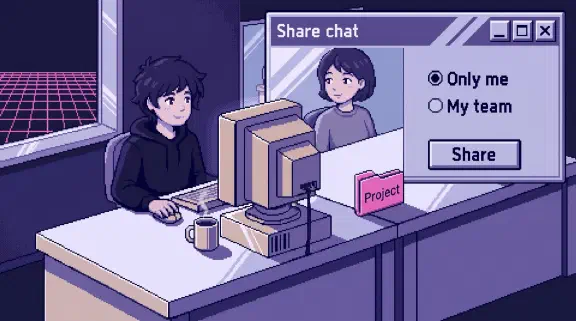
No. On a Claude Team plan, coworkers can’t open your chats, even in a project you both use, until you share one. A shared chat is a frozen, view-only copy that only signed-in members of your organization can open (Anthropic’s sharing guide). What teammates can see is whatever is built to be shared: a shared project’s files and instructions, the artifacts and docs you share, and anything you ask Claude in a Slack channel. One person is a separate case. Your Primary Owner can export everyone’s chats, and the employer post covers that.
I haven’t run a two-account test on this. It comes from Anthropic’s help center and Claude’s docs, read on November 6, 2026, and where two Anthropic pages disagree I say which one I went with. Admins, owners and exports are in the employer post. This one is about the people you work next to.
Can people in a shared Claude project see my chats?
No. Sharing a project shares its files and instructions, and your chats in it stay yours. Anthropic’s project sharing page says so twice: “Chats within a project are not shared by default,” and inviting someone “will share the project and knowledge base with the member, but your chats will remain private unless you choose to share them.”
Project sharing exists only on Team and Enterprise. A project set to “Only people invited” starts with you as the only person in it. Each person you invite gets one of two levels:
- Can view: they see the project’s contents, knowledge and instructions, and can chat in it, but can’t change it.
- Can edit: they can change the instructions and knowledge, and add or remove members.
What does a public project show the whole company?
Its files and instructions, to everyone in the organization. Anyone “can find it by browsing or searching the Organization tab in the Projects section, and use it to start a chat.” The chats stay private here too: “Even if a project is public, your chats within that project will be private and inaccessible to other members of your organization unless you manually share them” (same page).
The part people miss is Can edit. Every chat in a project runs on that project’s instructions, so anyone with Can edit can change how Claude answers in your chats without ever seeing them. If the project holds your pricing rules or how you write to a client, give Can edit to the one or two people who own those rules and Can view to everyone else.
Sharing projects and public projects are both on by default. An Owner can switch either off under Organization settings > Data and privacy. Public projects then turn private, but anything shared with named people stays put: “Projects that are already shared stay shared, and users who already have access keep it” (Anthropic’s project sharing controls). Cowork projects share the same way. Claude’s newer Projects beta can’t be shared at all, and it isn’t on Team yet (Claude Projects docs).
Who can see a Claude chat I share?
Only signed-in members of your organization. On Team, “Public links aren’t available” (sharing guide). You share one of two ways:
- Invite named coworkers by email. Only addresses on your organization’s domain work, and if someone forwards the invite, “the link won’t open for anyone else.”
- Set General access to “Anyone at [your organization].” Any signed-in member with the link can view it.
What they get is a snapshot: “All messages in the chat up to that point, including artifacts,” with your name on it as the person who shared it. “Shared chats are view only. Recipients can’t continue the chat, copy it to their account, or download files from it.” What you type after sharing isn’t in it, unless you click “Update shared chat,” which “replaces the old snapshot with the current one for everyone who has access.”
Does a shared chat include the files I attached?
Assume yes. This is where Anthropic’s pages disagree. The share and unshare page says an attached file “is not included in the shared snapshot and remains private.” The sharing guide lists the files you attached among the things invitees don’t see, “unless sharing was done within your organization.” On Team, every share is within your organization. I’m going with the sharing guide, since it’s the one with a section on Team sharing. If the client contract is attached, your coworker can probably read it, even though they can’t download it.
Does a shared chat show what Claude pulled from my email or drive?
Claude’s answers, yes. The raw data, no. “Only the final chat output and conversation will be visible to viewers” (share and unshare page), and the Microsoft 365 connector security guide says the same. So if Claude quoted two lines from a client’s email in its answer, those two lines are in the snapshot. Read the answers before you share.
How do I see and unshare what I’ve shared?
Open Settings > Privacy and look under Shared chats. It “lists each shared chat with the date and who has access” (sharing guide). To stop one, click “Share” on the chat and then “Turn off”: “The link stops working for everyone right away.” Deleting the chat removes the snapshot too. The share and unshare page lists that Shared chats log for Free, Pro, Max and Ultra only, so if it’s missing on your Team seat, the Share button on each chat still works.
Can teammates see my artifacts and docs?
Only once you share them. “Artifacts start private to you. Nothing is shared until you share it” (Anthropic’s artifact sharing page). On Team you can share with invited people, with “Anyone at [your organization’s name],” or with “Anyone with the link,” and that last one works only after an Owner turns on External sharing or allows that one artifact. Email invitations to people outside your organization are a separate setting, and it’s on by default on Team.
Three details catch people:
- Shared storage. “Some artifacts save information that everyone who opens them can see, like items in a shared tracker” (artifact sharing page). Whoever built the artifact decides which data is shared, and Claude shows a confirmation the first time you use one with shared storage (Anthropic’s artifacts guide). Read it. If you type a salary into a teammate’s hiring tracker, everyone who opens the tracker sees the salary.
- Presence. Coworkers can see “who else in your organization has an artifact open, along with live activity in it.” It’s on by default on Team (artifacts admin guide).
- An older artifact made in a chat brings the chat’s files. Anthropic calls these legacy artifacts, and on Team they show “Share & copy link” instead of “Share.” For those, “When you share an artifact made in a chat, viewers also get access to the attachments and files in that chat” (artifact sharing page). A chart built from a spreadsheet you uploaded hands over the spreadsheet.
An artifact that pulls from connected apps “uses the viewer’s connections, not yours,” so a coworker opening your dashboard sees what their own accounts can reach. It’s also why each viewer needs their own Claude account to use a shared artifact that calls Claude.
Docs follow the same rule. “Docs start private to you,” and once one is shared, “Every change is attributed to whoever made it, whether that’s a person or Claude” (Anthropic’s Docs page). Your teammates can see who changed what.
Can my teammates see my Claude memory?
No. Memory belongs to each person, and Anthropic says “Owners can’t view or edit a user’s individual memories” (memory and chat search page). Memory does go into exports, which is the employer post’s territory. Chat search only looks through your own past chats. In most organizations created on or after October 31, 2026, memory starts on for each member. In older ones it’s off until each person turns it on.
Projects keep their own memory: “Each project has its own memory,” and “New memory is saved to the project.” Anthropic doesn’t say whether two people chatting in one shared project share it. Until someone tests that, don’t tell Claude anything in a shared project you wouldn’t put in the project’s files.
Private memory cuts both ways. When we started logging our company’s rulings in July, six of the first ones came out of one person’s private AI memory files, including the rule that the AI never sends client email on its own. That was Claude Code memory, which Anthropic calls “machine-local”, and it had been governing that person’s sessions and nobody else’s (the rulings post has the rest). Claude’s app works the same way. A business profile Claude saves to your memory stays yours, so ten people end up with ten versions of your prices. Rules everyone should follow belong somewhere the team can see them: a shared project, an organization skill, or a project CLAUDE.md, which Claude Code shares with “Team members via source control.”
Does enterprise search show my questions to coworkers?
No. Enterprise search is on Team and Enterprise, and Anthropic’s enterprise search FAQ says conversations in your search project “are private to you unless you choose to manually share them.” Results are permission-aware, so each person sees only what they can already open in each connected tool. The exception is a custom connector that uses a shared credential, such as an API key, where “everyone sees what that credential can access.” If someone builds a custom connector to the finance system on one admin key, every teammate’s search reaches the admin’s view.
Who sees what I ask Claude in Slack?
Everyone in the channel. With Claude Tag, in public beta on Team and Enterprise, anyone in a Slack channel can hand Claude work, “and the whole exchange stays visible to the channel.” Slack users don’t each need a Claude seat for it, so people outside your Claude plan can be part of the conversation.
Memory there is kept by channel, according to the Claude Tag memory page:
- “Anyone in the channel can read and change channel memory.”
- Claude can add to the workspace notes from any public channel, “and it reads them in every channel in the workspace, private channels included.”
- An Owner of your Claude organization can view, edit or delete the memory files of a workspace and its channels.
A one-to-one DM with Claude runs on your own claude.ai account, but its notes are “stored with the workspace rather than with your Claude account.” I’d keep anything personal out of the Slack DM and in the app.
What else makes my work visible to coworkers?
Mostly the things you share on purpose, and the tools Claude connects to.
- Shared skills. Skill sharing is on by default on Team. A colleague you share a skill with can use it but can’t edit it (Anthropic’s skills page), so whatever you wrote in it, they can read.
- Connected tools that already overshare. Claude inherits each person’s permissions from the connected app. Fireflies, out of the box, lets every teammate open every meeting recap, so anything Claude finds there, a coworker could find too. The connector table shows what each common connector can reach.
- Shared folders and repos. Our own company brain is a git repo that Claude Code reads and writes, and a documentation pull request once merged 46 meeting transcripts past the confidentiality gate we’d built for them. Nothing in Claude’s sharing was at fault. The leak happened in the layer that was shared by design.
What happens to my shared chats when someone leaves?
They stop working. When a member is removed, “remaining members will no longer be able to access their chats,” and that “applies to chat snapshots that are shared with the organization” (Anthropic’s removal page). The link shows “Conversation not found.” Projects they shared stay, under the Team tab or Shared with me. Projects they kept private disappear for everyone. Before someone leaves, have them share or hand over every project the team still relies on.
Who can see my chats if not my teammates?
Your Primary Owner. That person can “request access to your user data through data exports, which may contain your conversations with Claude, uploaded files, and usage patterns” (Anthropic’s privacy center). On Team, only the Primary Owner can request one, and incognito chats are in it too. The employer post covers what Owners see and who should hold that role.
No role can open your chats in the app (Owners and Admins can’t browse conversations), so the export is the route to your chat text. Without one, an Owner gets a usage CSV with one row per person per model, with request counts and tokens. That shows how much you used Claude. The pages I read show no session times in it, and your Claude Code prompts reach an Owner only if someone turns on telemetry.
What I couldn’t confirm
- Attached files in a chat shared on Team. Two Anthropic pages disagree (see above). I’m assuming coworkers can open them.
- Memory in a shared project. Anthropic doesn’t say whether one member’s chats in a shared project can draw on what another member told Claude there.
- Where a Team admin manages shared chats. The sharing guide says admins can turn chat sharing off, see and revoke shared chats, and “view sharing activity in the audit log.” But audit logs are for Enterprise only, and none of the pages I read names the Team setting.
Two people on the same Team can settle the first two in ten minutes. Person A attaches a file to a chat, shares it with person B, and B checks whether the file opens. Then A tells Claude a made-up word in a shared project with memory on, and B opens a new chat in that project and asks Claude for the word.
What should I do next?
If you’re a member, open Settings > Privacy > Shared chats and turn off anything that no longer needs to be shared. Keep private things out of public projects and out of artifacts with shared storage, and read Claude’s answers before sharing a chat that used your email.
If you run the account, decide about Share projects and Public projects under Organization settings > Data and privacy, and about External sharing and Email invitations outside your organization under Organization settings > Artifacts, instead of leaving the defaults. The admin settings to change lists where each one sits and what I’d pick. Then tell the team the short version: chats are private until shared, shared chats stay inside the organization, project files and instructions are visible to everyone in the project, and a Slack channel sees everything Claude does there. The team message in the employer post covers the rest.
For the plan-level picture, see is Claude safe for business, whether Claude Team trains on your data and Claude Team compared. My setup gives each client its own project, with access set per person and per client. The setup planner gives you a plan for your own tools after six questions, no email needed. If you’d rather start from one job, send me your last proposal, customer reply or weekly update through Hand Off One Job, and within 48 hours I’ll send back a free setup that writes the next one.