Claude Code vs Cowork: Why Our Team Still Uses the Terminal

Claude Code and Cowork run the same agent. Cowork lives in the Claude app: you give it a folder or a connector, describe the result you want, and it hands back finished files, with no terminal involved. Claude Code works inside a folder you start it in, usually a git repository, where its instructions, commands and safety checks are ordinary files your whole team can review and share. As of October 2026, both come with every paid Claude plan.
Pick Cowork if you work alone or mostly alone, the job ends in a document, deck or spreadsheet, and nobody around you wants to learn a terminal.
Pick Claude Code if several people need the AI to follow the same rules, you want those rules versioned and reviewed, or you want Claude running on a server when something happens in your repo.
Our company runs on Claude Code, inside one repository I call our company brain, and most of the people using it aren’t developers. What they install and where it still hurts is in Claude Code for non-developers, and what our 66 commands actually do, department by department, is in Claude Code use cases for business. A company brain doesn’t need Claude Code, though: the regular Claude app can run one too (how the options compare).
What each one is, as of October 2026
| Claude Code, then Cowork | |
|---|---|
| Built for | Claude Code: software work, from writing and debugging to shipping code. Cowork: knowledge work like research, analysis and documents. |
| Where you use it | Claude Code: terminal, code editor, desktop app, browser. Cowork: the Claude app on desktop, web and mobile, plus the Claude in Chrome side panel. |
| Files it can touch | Claude Code: starts in the folder or repo you choose, and can reach further. Cowork: folders you connect, which cloud sessions reach only while the desktop app is open. |
| Sharing setup with a team | Claude Code: instructions, skills and hooks live in the repo. Cowork: Owners on Team and Enterprise can publish plugin marketplaces. |
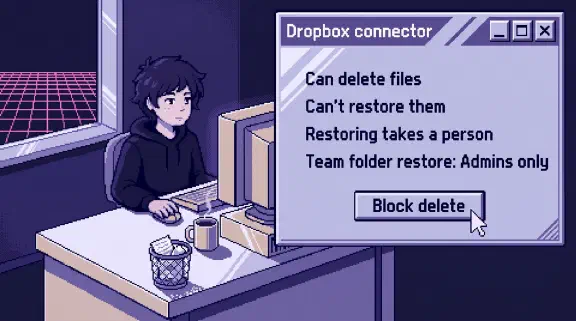
| Checks that always run | Claude Code: hooks, scripts that run before or after an action. Cowork: permission prompts, and deleting files needs your approval. |
| Runs without you | Claude Code: GitHub Actions and cloud scheduled tasks. Cowork: scheduled tasks that run in the cloud. |
| Plans | Both: Pro, Max, Team, Enterprise. |
Sources: Anthropic’s Cowork product page, getting started with Cowork, Cowork on web, desktop and mobile, Cowork on Team and Enterprise, the Claude Code overview and pricing.
Two recent changes blur the line between Cowork, chat and Projects. On September 16, Anthropic started merging Cowork and chat into one Claude, rolling out on Pro and Max first. The banner on the pricing page now reads “Claude Cowork is now just Claude.” You stop choosing a mode and Claude decides what the task needs. Projects now work across every conversation. The Code tab stays where it was. On Pro and Max, “Cowork” is becoming what Claude does when you ask for finished work, and Claude Code stays separate.
Pricing, and which one uses more of your plan
There’s no separate purchase to compare. Anthropic’s pricing page lists Claude Code on Pro, which is $20 a month or $17 billed annually, and on Team seats. The free plan doesn’t include it. Both draw from the same plan usage, so the real question is which one burns through it faster. Anthropic’s Cowork guide warns that multi-step tasks use more of your plan than a quick question, because every step uses tokens. On the Claude Code side, scheduled tasks draw down your subscription the same way an interactive session does (Anthropic’s docs). I haven’t measured the two against each other on the same task, so I won’t give you a number.
Why we’re on Claude Code
Our Claude seats include Cowork, and nothing we depend on runs through it. Four reasons, in the order they’d matter to a small team.
Our rules are files that get reviewed. Since January, 548 commits have changed a shared command or skill in our repo, and 513 of those came from my co-founder and me. Everyone else gets the new version the next time they pull. When the weekly client update command changes, the change shows up as a diff in a pull request, somebody approves it, and if it breaks the next run we can see exactly which line did it and undo it. Cowork on Team and Enterprise can push plugins to everyone through a marketplace, which handles distribution. For us the review step was the part we couldn’t give up, because a command file is the instruction every automated run follows.
Hooks that refuse. Anthropic’s own Cowork safety guidance says to give Claude a dedicated working folder, keep backups, and avoid connecting folders with sensitive files like financial documents. That’s good advice for one person. With several of us on Claude seats sharing one repo, we wanted a script that says no. Claude Code hooks are shell commands that run at fixed points, so the check happens whether or not the model remembers to do it.
We have six hook scripts in .claude/hooks, plus two short checks written straight into our shared settings file. One runs before every file write and refuses edits to raw source files, which are supposed to stay untouched (that one has its own story in the company brain setup post). A smaller one came in on May 21: any Google Drive export that doesn’t say where the file should go gets blocked, with the message “Never export to repo root.” Claude kept leaving stray download files at the top of the repo, and one line of shell ended it.
One door for Google. On April 2 a line went into our root instructions file making one command-line tool “the ONLY interface for Google services,” with “Never use MCP Gmail/Calendar/Drive connectors” right after it. Connectors are the easy path in the Claude app, Cowork included, and for one person’s own inbox they’re fine (I covered that tradeoff here). For company work we wanted one login path and one tool to inspect when something goes wrong. That rule is enforceable in a repo because the instructions file is loaded into every session, on every laptop, for everyone.
Claude runs where nobody’s laptop is. Since March 15, a workflow in our repo has run Claude Code on GitHub’s servers against our pull requests, 933 successful runs so far, each reading the same instructions file the team uses. To be fair to Cowork, “my computer has to stay on” stopped being a real difference: its scheduled tasks run in the cloud now. The difference that matters to us is the trigger: our reviews fire when a pull request opens, inside the repo, under the same rules as everyone else’s sessions.
Routines, scheduled tasks and Claude Duet: what runs while you’re away
Three Anthropic products now do work while nobody is typing. The easiest way to tell them apart is to ask who decides what happens next.
- Claude Code scheduled tasks, called routines until recently, run a prompt you wrote when a trigger fires: a schedule, an API call or a GitHub event. Each run is a fresh Claude Code session on Anthropic’s servers with a new clone of your repository, so your laptop can be closed. A schedule can’t fire more than once an hour, and every run counts against your plan the same way an interactive session does (Anthropic’s docs). The same docs say scheduled tasks “belong to your individual claude.ai account. They are not shared with teammates,” and anything they do through GitHub or a connector shows up as you. That’s a good fit for one person’s chores, and part of why our team-wide automation lives in a workflow file in the repo instead.
- Cowork scheduled tasks do the same for knowledge work in the Claude app. They run remotely even when your computer is asleep, unless the task needs local files or apps, in which case it only runs on your machine (Anthropic’s help article).
- Claude Duet, which Anthropic opened to a waitlist on October 21 for US Pro and Max accounts, is the one that decides for itself. It checks your connected accounts at set intervals, sends a morning brief, and messages you when it thinks something needs you. It asks before it sends, pays, signs or deletes anything (Anthropic’s guide). It isn’t related to Duet (duet.so), a separate company with a similar name.
The first two do what you told them to. Duet chooses what to look at. That’s a real difference in what you’re trusting, and it’s why I’d point Duet at one person’s own inbox and calendar before I’d point it at anything the company depends on (what that means for finance tools).
We’ve run the first kind. Over the summer a nightly routine checked our repo for docs that had drifted and opened a pull request with the fixes. One night it argued with our AI reviewer for 21 hours, which is the best argument I know for putting a cost limit on anything that runs while you sleep. The work that looks most like Duet, our end-of-day run, we still start by hand, and why it runs at night instead of in the morning has its own write-up.
What this costs us
All of this is work someone has to own. Our shared settings file alone has 23 commits. My co-founder and I wrote the hooks, the commands and the Google rule, and they break in ways that need an engineer to read the error. Setting up the terminal is still a hurdle for someone who has never opened one, especially on Windows. If you’re weighing the same move for a group of people, setting up Claude Code for a team is the practical version.
When I’d tell you to start with Cowork
- You’re one person working on your own files. Most of what we built exists because several people share one folder. Alone, you’d be paying the setup cost for problems you don’t have.
- The output is a deliverable. A report from a folder of PDFs, a cleaned-up spreadsheet, a first draft of a deck. Cowork is built for exactly that, and it hands back files you can open.
- Nobody on your team would maintain hooks or review a command change. Claude Code without someone owning the rules is just Cowork with a worse interface.
- You aren’t sure yet. Start in Cowork with a dedicated folder and backups, as Anthropic recommends. The sign you’ve outgrown it is when you’re pasting the same instructions into every session, or a teammate needs the AI to behave exactly the way it does for you.
Deciding with your own files
The fastest way to decide is to run the same real task in both, on your own documents, and see which one you’d want to repeat every week. If that test points to Claude Code, Build It Yourself coaching is four 90-minute sessions over screen share for $1,997: you do the typing, we set it up on your own files with up to five people from your team, and you get a recap after each one.