Claude Desktop App Update: What's Worth Using
The Claude desktop app changed a lot over the past two months, and nearly all of it lives in the Code tab. For a small company, four things deserve your time: sessions that can start and read other sessions, the context card, /skill-doctor, and the shutdown of the old Claude Design site on December 14, which is the only item here with a deadline. Projects get the most attention, and they aren’t offered on Team or Enterprise plans yet.
My starting point was Jay’s walkthrough on the RoboNuggets YouTube channel, which lists 11 updates and is a good tour. I checked its claims against Anthropic’s docs as of November 1, and a few came out differently. Side chats aren’t kept after you close the app. Ctrl+D isn’t a voice shortcut in Anthropic’s docs, and in the terminal it exits your session. Whether you still see a Cowork tab depends on your plan and your place in the rollout, so accounts on the same plan can look different. And “Claude 2.0” is the video’s nickname for the app update. It isn’t a new model.
| Update | My take |
|---|---|
| Sessions that start and read other sessions | Use it, with separate worktrees |
| Context card in the session rail | Check it this week |
/skill-doctor and /doctor | Run both once |
| Projects | Good for long jobs, if you can get it |
| Side chats | Use them, and treat each one as disposable |
| Split view | Two panes are plenty |
| Docs, Slides, Design | Try them, and move anything off the old Design site |
| Dashboards | Worth a test if your data is connected |
| Motion | Niche, unless you make explainers |
| Mods | Make your own, and be picky about installing others |
Show the data
| Feature | Free | Pro, Max, Ultra | Team | Enterprise |
|---|---|---|---|---|
| Docs, Slides, Design | Yes | Yes | Yes | Yes |
| Claude Code tab | No | Yes | Yes | Yes |
| Remote Control | No | Yes | If an Owner enables it | If an Owner enables it |
| Dashboards (beta) | No | Yes | Yes | If an owner turns it on |
| Motion (beta) | No | No | Yes | If an owner turns it on |
| Projects (beta) | No | Rolling out | Not yet | Not yet |
If you’re wondering whether the Code tab is for you at all, Claude Code for non-developers covers who it fits. The question matters more now, because new Cowork tasks on Pro, Max and Ultra run in the cloud as of October 6, and you can’t switch back. For work that should run only on your computer, Anthropic now points you to Claude Code in the desktop app. If that change worries you, start with whether Cowork is safe for business.
One session can now run the others
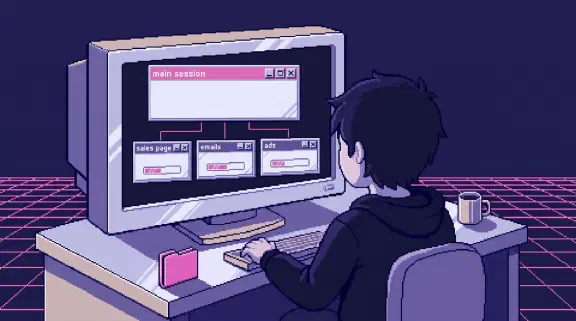
Two features combine here. A session can start another session, which then shows up under it in the sidebar. And Claude can list your other Code tab sessions, read what each has been doing, and send messages between them. Anthropic’s example prompts are “what did the API session conclude?” and “tell the payments session the schema changed.”
So you can pick one chat, tell Claude it’s your main session, and ask it which of your other chats are waiting on a decision from you. The video calls this a master session. Anthropic has no such feature or name for it. It’s a habit you build out of the parts above, and I think it’s the best idea in the whole update, because the thing that wears you out with parallel work is remembering who’s waiting on what.
A started session differs from a subagent in one practical way: you can open it and talk to it. Subagents do a side task and return a summary. A nested session is a full chat, so when the one writing your ads goes off course, you click in and steer it.
The limits are worth knowing. Your main session sees the 20 most recently active sessions by default and skips archived ones unless you ask. Through this feature it can’t list or read cloud sessions, or anything you started from the terminal or VS Code. Anthropic’s own example: with nine terminal worktrees and two desktop sessions open, Claude reports one other session. A separate feature, cross-session messaging, can list and message terminal sessions too. Anthropic also warns that running several sessions at once multiplies token usage.
What breaks when sessions share a folder
The video skips this part. By default a started task runs in the current session’s environment, and the Worktree switch is off, so Claude works in the project folder itself. Parallel sessions can end up editing the same files at the same time.
I’ve run this website that way, with several sessions in one checkout, and it has bitten me twice in the past week. On October 30, three preview servers left behind by old sessions were running at about 200% CPU with no edits happening, and one generated file got rewritten 12 times in 30 seconds. I suspect each server’s writes were setting off the others, though I never confirmed it. The next day, a broad git add in one session swept another session’s unfinished homepage work, 12 files of it, into a commit about something else. It got caught before pushing and undone, and the rule now is to stage files by name.
If your project is a Git repository, turn on Worktree before starting a session, and each session gets its own copy of the files. When Claude suggests a task, the Options button on its card lets you choose a worktree before you click Start. If your project isn’t a Git repository, give each session different files to touch and keep the tasks far apart.
Projects or nested sessions
Projects look similar: one conversation where Claude starts a thread for each task. The difference is where the work happens.
| Nested sessions | Projects | |
|---|---|---|
| Runs on | Wherever the main session runs, usually your computer | Usually Anthropic’s cloud |
| Laptop closed | Local sessions stop when it sleeps | Cloud threads keep going |
| Your skills and files | Already there | Cloud threads pick up nothing from your machine, so you add what they need |
| Shared instructions | Whatever the folder has | Project instructions and memory for every thread |
| Sharing with a teammate | Through your files | A project belongs to one user and can’t be shared |
Use nested sessions when the work needs your machine or your files shouldn’t leave it. Use Projects for a long job you want moving while you’re away, like a folder of contracts you keep asking new questions about. Its Overview pane shows which threads finished and which are waiting on you. When one task needs your computer, you can run that thread locally.
Two warnings. Cloud threads run on Anthropic’s infrastructure, and what you upload goes with them, so read what you can put into Claude and Anthropic’s data usage page before uploading client documents. And a project draws on the same plan limits as your other sessions and uses them faster. If you don’t see Projects in your sidebar, look under More, then try the waitlist. The setup I sell is built on Claude Team, so nobody I set up can use this one yet.
The context card is the one to open first
The session rail is the panel of cards beside your chat. If it’s hidden, click Show session rail in the session’s title bar, and if that isn’t there, you may be on the earlier layout. The Environment card shows the Remote Control switch, which lets you follow a local session from your phone. You can connect new sessions automatically under Settings > Code. On Team and Enterprise, an Owner has to enable Remote Control first, so if the switch does nothing, that’s who to ask.
The Context card is the useful one. It shows how full the window is and what’s filling it, by category. Before you type anything, Claude loads your CLAUDE.md, auto memory, connector tool names and skill descriptions. The video makes this sound alarming, so I measured it. I ran /context from the command line in this website’s repo on November 1, and 23.9k tokens had loaded before a single message, about 2.4% of a 1 million token window.
/context on November 1, 2026. Your numbers will differ. The Context card shows the same kind of breakdown for your session.Show the data
| Category | Tokens |
|---|---|
| Skills | 10,000 |
| Memory files | 6,200 |
| MCP server instructions | 2,000 |
| MCP tools | 619 |
| System prompt | 2,500 |
| Custom agents | 1,800 |
| Built-in tools | 846 |
| Messages | 10 |
| Total, as reported | 23,900 |
So the window isn’t in danger, and I wouldn’t panic over 2%. The useful part is which slice is biggest, because everything here gets loaded again in each session. Skills were the largest, so I ran /skill-doctor, which shows what each skill costs and how often it gets used. The Vercel plugin accounts for 40 skills and about 4,000 tokens, and 38 of those skills have never been used. This site deploys on Netlify. We once deleted 52 commands, skills and agents from our company brain, and the pile still grows back whenever nobody’s looking.
Side chats and split view
Type /btw or press Cmd+; (Ctrl+; on Windows) to ask a side question without steering your session off course. A side chat can read everything in the main thread up to that point and adds nothing back to it, which makes it good for “what has this done so far?” The docs are plain about the catch: the app doesn’t save side chats to disk, so you can’t return to one after closing the app. Anything worth keeping belongs somewhere else.
For split view, hold Option (Alt on Windows) and click a session in the sidebar. Jay fit 10 chats on one screen by zooming out, then warned against doing it, and the warning is right. Your attention runs out long before the screen does, so start with two.
Docs, Slides, Design, Dashboards and Motion
Claude now has five artifact templates, and you can use artifacts from Claude Code too. Dashboards connects to data platforms like BigQuery or a CRM like Salesforce, and each chart shows its query and when it last refreshed. Motion writes code to animate your own text and charts, with no video model involved, and exports an MP4. It still counts toward your plan’s limits, and longer animations use more.
Do this one now: the standalone Claude Design site closes on December 14. Move your design systems today. Moving projects is rolling out gradually to paid plans, and you can download any project as a .zip in the meantime. Your chats and comments can’t move, so save what you need from them. Public links to projects on the old site stop working once it closes.
The video’s most appealing idea is a shared dashboard with a chat box in it, so teammates can ask questions without learning Claude Code. It works, with a condition the pitch leaves out. People using an artifact that calls Claude sign in with their own Claude account, usage counts against their own plan, and everyone connects their own apps, even on a shared artifact. So your teammates need Claude accounts and access to the underlying tools. Plan for that before you promise the team a magic link. The video’s settings toggle is also out of date: that setting now covers legacy artifacts, and new ones ask permission the first time they want to use Claude.
I’d also be slow to call any of this a Google Docs replacement. It’s a good place to draft with Claude. Your company’s files, permissions and history still need a home, and for us that’s Google Workspace.
Mods are powerful, so read before you install
A mod is a small plugin that changes how Claude Code looks or behaves, like a pane charting how full your context is. You can describe the one you want and Claude writes it, which is the part I’d try first, since you’re running code you asked for.
Installing someone else’s is a bigger decision than the word “mod” suggests. Anthropic’s docs say a mod runs with your permissions and isn’t sandboxed. It can read your files and the API keys in your settings, see every prompt, and approve tool calls without asking you. A Team or Enterprise login narrows that last one, since by default a mod’s approval can’t get past your ask rules. The video recommends a couple of community mods. I haven’t read their code, so I’m not passing them along.
If you want a safer first look, Anthropic publishes samples like token-weather, and claude plugin validate lists what a mod does before you load it. This belongs in the same conversation as whether Claude Code is safe for your company and what your team shares in its setup.
Commands and shortcuts worth remembering
| Type this | What you get |
|---|---|
/doctor | A checkup of your install, settings and CLAUDE.md, with fixes applied after you confirm |
/skill-doctor | What each skill costs in context and how often it’s used |
/context | The same breakdown as the Context card, as text |
/output-style | A different way for Claude to talk to you, such as concise |
/advisor opus | A stronger model consulted at key moments while a cheaper one does the routine work |
/insights | An HTML report on how you use Claude Code and features to try |
/recap | A one-line summary of where this session stands |
/rewind | Back to an earlier point, for the code, the conversation or both |
| Cmd+/ or Ctrl+/ | Every shortcut in the Code tab |
/advisor is experimental. Claude decides when to call it, no setting caps the calls, and the usage counts toward your plan. Not every command shows up for everyone, because availability depends on your platform, plan and environment, so type / and see what you have.
To open Claude from anywhere, turn on quick entry. The Mac default is a double tap of Option, and on other systems it’s Ctrl+Alt+Space, the one the video shows. Voice dictation on the Mac app uses Caps Lock and is off by default because it takes over that key. In the terminal, you hold Space once you’ve turned dictation on with /voice.
Where I’d start
Open the Context card on your busiest session and run /skill-doctor. If you have work on the old Claude Design site, put December 14 on your calendar. Then try one main session with two nested ones on a real job, each in its own worktree, and see whether you enjoy supervising or miss doing the work yourself. How that compares with the rest of the app is in Claude Code vs Cowork, and the non-developer guide goes slower if you’re new to all this. Before you plug in more tools, the connector table shows what each one can touch.
If all of this sounds like more setup than you wanted, start from the job. Send me your last proposal, customer reply or weekly update through Hand Off One Job, and within 48 hours I’ll send back a free setup that writes the next one.