How to Set Up Claude Enterprise Search (Ask Your Org)
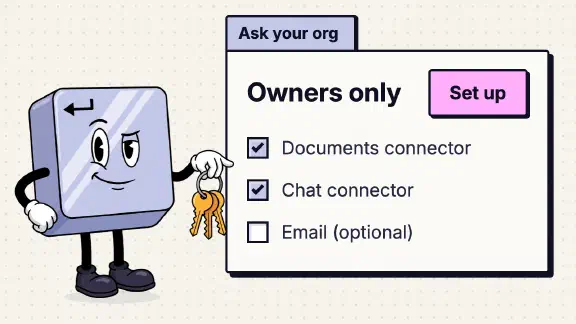
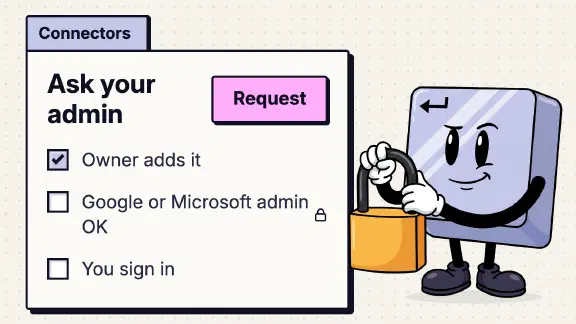
An Owner or the Primary Owner of your Team or Enterprise organization has to finish Claude’s enterprise search setup before anyone else can use it. An Admin can’t, because on Team the Admin role only manages who’s in the organization. The Owner clicks “Ask Your Org” in the sidebar, chooses “Set up for your org,” picks one connector for documents and one for chat (email is optional), names the project and finishes. Then each person opens the “Ask [your org]” project, connects their own accounts, and searches only what they could already open.
This comes from Anthropic’s help center, the Claude 101 course, and my company’s own Team org. On November 12, 2026, I had Claude go through the settings pages of that org in Chrome, signed in as me, the Primary Owner, and ask our enterprise search project a question. It read the settings and changed nothing. Our search was already set up with Notion and Slack, so I didn’t run the setup again. The setup steps below are Anthropic’s, and everything after them is what our org showed.
Who needs to complete the initial setup before team members can use enterprise search?
An Owner. Anthropic’s enterprise search article (updated October 1, 2026) says the project “is enabled by default for all Team and Enterprise plan organizations within Admin settings, but Owners will need to complete this initial setup process before other members can use it.”
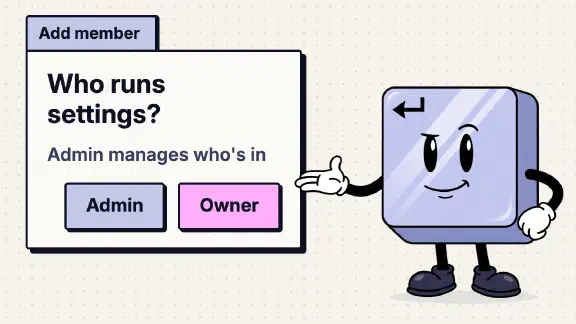
The Claude 101 course muddies it. Its enterprise search lesson opens with “must be enabled by a workspace admin,” and further down says “For admins (Owners).” On Team those are two different roles. Claude’s own Add member dialog describes an Admin as “Can manage user membership” and an Owner as “Can manage user roles and organization settings.” Enterprise search is an organization setting.
A firm that makes its office manager an Admin because the lesson said “admin” ends up with someone who can invite people and can’t finish this. Even the finished project reads “Created by your admin.” The full split is in Owner vs Admin vs User.
This is the Owner step behind lesson 9 of the course, one of several collected in the owner’s side of Claude 101.
What does Claude enterprise search do?
It’s a shared project named “Ask” plus your organization’s name that searches the tools you’ve connected and answers with sources. Ours is called “Ask Nexrizen.” Its page says “Claude will search your org’s connected tools to find exactly what you need and give you the best answer.”
Two lines from the help center matter more than the rest. “You only see search results from data you have permission to access in the original systems.” And “No data from connected services are indexed in our systems for serving queries,” so each question runs live against your tools. Searches “count toward your plan’s standard usage limits,” the same pool as everything else a person does in Claude.
How do I set up Claude enterprise search?
Connectors first, then the project. Don’t start step 3 until the first two are done: only connectors you’ve added can go into the project, and once it’s set up it’s starred in everyone’s sidebar.
- Add the connectors for the organization. In our org on November 12 the path was Organization settings > Connectors > “Add” > “All available,” then the “+” on each card. The help center’s connectors article describes “Browse connectors” and “Add to your team” instead, which I didn’t see. “Only enabled connectors will be available in the enterprise search project.”
- Clear the other admin consoles. A Slack admin has to approve the Claude app for your workspace. For Microsoft 365, an Entra Global Administrator grants a one-time consent. For Google, if people see “Access blocked: your institution’s admin needs to review Claude for Google Drive,” your Workspace admin marks Claude as trusted and waits about 15 minutes. At a small firm, find out who holds each of these before you start.
- Start the setup. In the sidebar, click “Ask Your Org,” then “Set up for your org.”
- Pick the sources. “You are required to choose a connector for both Documents and Chat; Email is recommended but optional.” “+ Add more” adds others.
- Name it and finish. Click “Next,” give it a name (it shows as “Ask [Name field]”) and a description, then “Finish set up.”
- Tell people what to do. The project is starred in everyone’s sidebar by default. Each person opens it and connects each service with their own account. Until they do, it searches nothing of theirs.
The course names Google Drive or SharePoint for documents and Slack or Microsoft Teams for chat. Ours uses Notion for documents, and it works. Asked which sources it could search, our project listed Slack, Notion, Claude Docs and web search, public internet only.
Can I set up enterprise search without Slack or Teams?
Not according to Anthropic. The help center requires a Chat connector, and the course names only Slack or Teams. I haven’t tested what happens at the Chat step without one, because redoing our setup would have changed the project for the whole company.
If you’re on Microsoft 365, you’re covered: the Microsoft 365 connector’s card says “Access SharePoint, OneDrive, Outlook, and Teams directly in Claude.” The firms that get stuck run on Google Workspace with Google Chat, WhatsApp or text messages. Anthropic’s connector directory listed no Google Chat connector when I looked on November 9.
I wouldn’t open a Slack workspace nobody uses just to get past the step. It adds an account to manage and nothing to search. For a Google-only firm the fallback is plainer: each person turns on Google Drive and Gmail in an ordinary chat, from “+” > Connectors, and asks there. Claude still searches with that person’s own access. What you give up is the shared project and its search instructions.
Can the Owner change enterprise search’s instructions?
Yes, though both of Anthropic’s descriptions suggest otherwise. The lesson says the project’s instructions are “configured by the Anthropic team,” and the help center’s comparison table says its system prompt is “Managed by Anthropic.”
In our org, the Owner sees “Edit instructions” on the project. It opens “Set project instructions,” filled in with Anthropic’s default of about 3,900 characters, starting “You are an AI assistant to answer questions from employees.” It’s editable, with a “Save instructions” button. (We cancelled without saving.) Anthropic writes the default, and you can rewrite it.
I’d leave the default alone for the first few weeks, until you’ve seen where its answers miss, then add what only your firm knows: what you call your clients’ folders, which Notion page holds the current price list, which channel is for client news. The instructions are visible to everyone in the organization (“Everyone at Nexrizen,” in ours), so write nothing there you wouldn’t show the whole team.
Does enterprise search work in a browser?
Yes. The help center says only that the project “is fully functional on Claude Desktop, but not available on Claude Mobile (iOS/Android),” which leaves the browser unclear. In our test, claude.ai/ask-your-org opened the project in Chrome, and it answered from our connected tools. I didn’t test a phone; Anthropic says it isn’t there.
Is enterprise search only the “Ask [org]” project?
The project is the part Anthropic documents, but a switch in every new chat looks like the same search. The “+” menu in a new chat lists switches for “Ask Nexrizen,” “Research,” “Web search” and “Memory.” “Ask Nexrizen” was off by default in each new chat. I didn’t run a chat with it on. Neither the course nor the help center mentions it.
One limit inside the project: you can’t add files to it from a connector. Under Files, “+” offers upload and text. Notion and GitHub were greyed out, and hovering Notion said “Only accessible from private projects.” The project searches through connectors instead of storing copies.
Why is Claude enterprise search not showing?
Check these in order.
- Your plan. It’s Team and Enterprise only. The lesson tells Free, Pro and Max users they “can skip this lesson.”
- The setup. Until an Owner finishes it, members can’t use it. I couldn’t check what a member sees before then.
- The switch. In Organization settings > Capabilities, the switch is named “Ask” plus your organization’s name (“Ask Nexrizen” in ours), and it was on, marked “Default.” The help center calls it “Ask Your Org,” with a “Disable” button. If an Owner turned it off, it’s gone for everyone.
- Your device. It isn’t on the phone apps. Use Claude Desktop or claude.ai in a browser, where claude.ai/ask-your-org opens it directly.
- Your own accounts. The project searches only the services you’ve connected yourself. If one connector fails, “The dedicated project will search remaining connected tools. You’ll see a notice about the failed connector.”
What does each person see in enterprise search?
What they could already open in each tool, and nothing more. Every member connects their own accounts, so a junior associate’s search reaches their Slack channels and their Drive files, and the partner’s search reaches the partner’s. Your teammates don’t see your questions either; that’s in who can see your Claude chats.
Two exceptions are worth checking before you finish the setup. A custom connector that signs in with one shared credential reaches “whatever that credential can access,” for everyone. And “The Microsoft 365 connector searches SharePoint across the entire tenant using the permissions of the user,” so a folder shared with “Everyone except external users” years ago can turn up in answers. Tidy your sharing first.
What I couldn’t confirm
- Setup without a Chat connector. Ours was already set up, and redoing it would have changed the company’s project.
- What a member sees before setup. That needs an ordinary member’s account, and I tested as the Primary Owner.
- Phones. Anthropic says enterprise search isn’t on Claude for iOS or Android. I took that as given.
- The “+” switch before setup. I saw “Ask Nexrizen” in the menu in an org where setup was finished. Whether it shows in an org where setup isn’t finished, I can’t say.
What should I do next?
If you’re the Owner, add the connectors first and finish the setup before you tell anyone about it, so nobody’s first search comes back empty. Make a second person an Owner while you’re there, so it doesn’t wait on you (why). The rest of the owner-side settings are in Claude Team plan setup, and the ten-question team check scores your org in a few minutes, no email needed.
If you’d rather have it done, my setup starts at $3,997 for one team of up to 25, and you pay for your own seats. One job live on your real work by day 14, or all your money back.