What Happens When Someone Leaves Your Claude Team
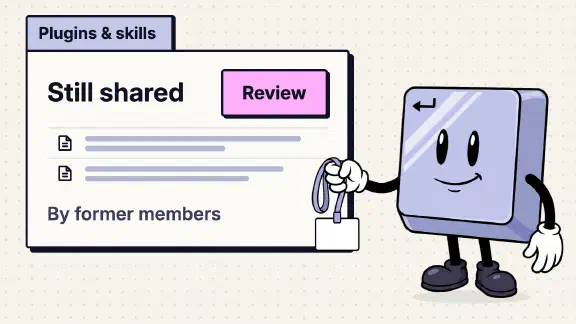
When you remove someone from a Claude Team plan, they lose access to the organization immediately. Their seat frees up for someone else, though the number of seats you pay for doesn’t drop. Their account and data aren’t deleted. Projects they kept private become unreachable for everyone else, and chats they shared stop opening. The skills and plugins they shared with teammates stay shared until an Owner reviews them. In my company’s org, Organization settings > Plugins & skills shows a banner counting the items former members “still share”, with a Review button. And their Claude Academy course history drops out of your organization’s reports. Almost all of it is easier to sort out before their last day than after.
This comes from Anthropic’s help center, read on November 12, 2026, and from my company’s Team org the same day. I had Claude go through the settings pages of the org in Chrome, signed in as me, the Primary Owner. Nobody was removed for this post. The removal itself is Anthropic’s description, and the banner is what earlier departures left behind.
| What they had | After you remove them | Where that comes from |
|---|---|---|
| Their access | Gone “immediately” | Managing members |
| Their seat | Free to give to someone else. Your seat count stays until you cut it | Same page |
| Their account and data | Not deleted, and still in the Primary Owner’s export | Removed users’ data |
| Private projects | Nobody else can open them | Same page |
| Projects they shared | Stay, under the Team tab or Shared with me | Same page |
| Chats they shared | “Conversation not found” | Same page |
| Skills they shared with teammates | Still shared, until an Owner reviews them | Our org, November 12, 2026 |
| Skills they published to the org | Stay in the library | Skills for your organization |
| Artifacts they made | Their own access ends. Nothing says what happens to yours | Artifacts admin guide |
| Claude Academy records | Their rows disappear from Org reports | Academy FAQ |
| If you add them back with the same email | Chats, projects and skills come back | Removed users’ data |
How do I remove a member from Claude Team?
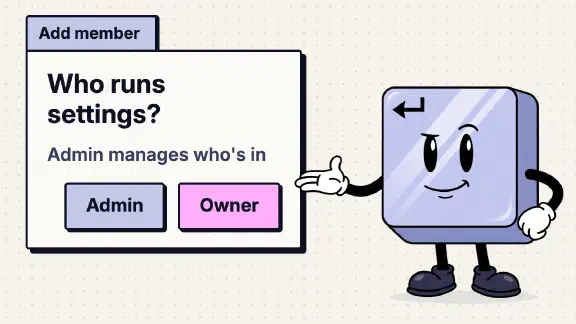
Go to Organization settings > Members, click the menu to the right of the person and choose “Remove from team.” An Owner, the Primary Owner or an Admin can do it. The Add member dialog in our org describes the Admin role as “Can manage user membership,” and on Team that is most of what it can do.
Owners can’t remove themselves. An Owner or the Primary Owner has to be removed by another Owner or the Primary Owner, so in a company with one Owner, nobody can remove that person until there’s a second. Our org’s setup checklist, “Get your team on Claude,” lists “Add another Owner” as a step.
What happens to their seat and their account?
The seat goes back into the pool, and the next person you add can take it. Your bill doesn’t shrink, because “Removing a member frees up their seat for reassignment, but does not automatically reduce your plan’s total seat count.” Removing someone gives no refund, and cutting seats takes effect at your next renewal. The Members page in our org also shows “Unused seats” (“Seats not used in the last 28 days”), which is the number to look at before renewal.
Their account and everything in it stays. “Removing a user from your organization doesn’t delete their account or data,” Anthropic says, and the Primary Owner’s organization export still includes a removed user’s data. If you want it gone for good, an Owner or the Primary Owner writes to Anthropic support “from your own email address,” includes the person’s email, and confirms in writing. Export first if you might need a copy: “Deletion is permanent and can’t be undone.”
Removal is also reversible, which matters when you find something missing a week later. Add the person back with the same email address and “previous chats, projects, and skills will be restored.” It costs a seat while they’re back.
What happens to their projects and chats?
It depends on how each one was shared. A project they shared with the whole organization appears under the Team tab, and one shared with named people appears under those people’s Shared with me. A project they kept private disappears for everyone else. Anthropic’s fix runs through the person leaving: they “will need to adjust the project’s permissions so either everyone in the organization can edit it, or invite specific users and grant them ‘Can edit’ permissions.” The help center gives an Owner no way to do that for them.
Shared chats are worse. Every chat they shared stops opening for everyone, with “Conversation not found.” The post on what teammates can see covers why. If a shared chat holds the answer your team keeps going back to, copy it into a project file or a doc before their last day.
What happens to the skills and plugins they shared?
They stay shared, and nobody owns them. On November 12, Organization settings > Plugins & skills > Inventory in our org carried a banner saying how many former members still share how many items, then “review to keep or stop sharing,” with a Review button. So a skill shared before its author left stayed shared after.
Anthropic’s pages cover the other two cases. A skill the person never shared stays on their account and “remain[s] recoverable.” A skill they published to the organization’s library stays there: “If the author leaves, the published item stays in the library.” No page I read says what happens to a skill one member shared with another when the author leaves. The banner answers it in practice.
That banner is worth acting on. A shared skill is view-only for the people it was shared with, and updates come only from its author, so once the author is gone, the skill is frozen. If it holds last quarter’s prices or an old client template, Claude keeps using them. For a skill the team still needs, get the files from the person before they go and add it under Plugins & skills as an organization skill the company controls. Then click Review and stop sharing the old copy.
What happens to the artifacts they made?
Anthropic says only that removing someone “removes their access to artifacts at the same time.” It doesn’t say whether a tracker or doc they shared keeps working for everyone else, or who owns it afterwards. One detail is on the sharing page: if the person who sent an invitation leaves, “Their pending invitations stop working. People who already accepted keep access until someone removes them.”
You can at least see what they published. Organization settings > Artifacts lists every published artifact with its name, type, owner and visibility, which reads Organization, Specific users or “Shared outside.” On Team, External sharing (anyone with the link) is off by default, but Email invitations outside your organization is on, so a leaver may have invited a client by email. For anything marked “Shared outside,” open its menu and choose “Manage outside access” to remove people. Treat anything the team relies on as at risk, and move it before the last day.
What about their connectors and the apps behind them?
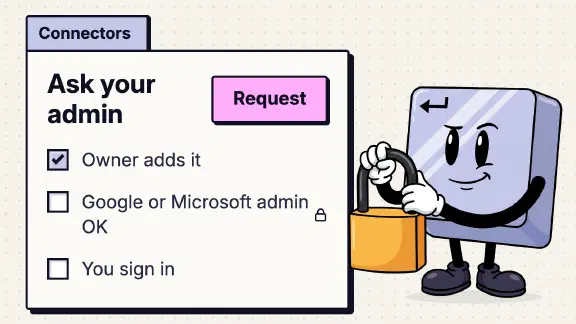
On Team, each member normally signs in to each connector with their own account, so a leaver’s Google, Microsoft or Slack access reached Claude through a grant they made. (The exception is a connector set up with managed authorization, which Team offers in beta: then the company granted it once for everyone.) Removing them ends their Claude access. None of the pages I read says whether it also revokes what each app granted. Close it on the app side as part of your normal offboarding: suspend their account in Google Workspace or Microsoft 365, or remove Claude from their authorized apps there. If anyone made keys in the Claude Console, check those too (which keys survive a departure).
“Sign out everywhere,” on the same Members menu, isn’t a substitute. It ends their sessions but keeps them in the organization, and Anthropic notes that “Scheduled Claude Code routines keep running” and that it “doesn’t unlink computers connected to Cowork.”
What happens to their Claude Academy progress?
It leaves with them. If you’ve had staff take Anthropic’s free Claude 101 course with their work accounts, Owners and Admins can see who finished in Academy’s Org reports. The Academy FAQ says “When someone leaves your organization, their rows disappear from the report.” If you keep a training record, copy their row before you remove them. Setting up Academy for the team is part of the owner’s side of Claude 101.
A Claude Team offboarding checklist for the Owner
Before their last day:
- Primary Owner. If it’s them, have them hand it on: Organization settings > Members, the Role dropdown next to the new person, “Primary Owner,” then type that person’s email to confirm. Only the current Primary Owner can do it (why it matters).
- Projects. Ask them to share every project the team still uses, with “Can edit” for whoever takes it over. Anything left private goes dark.
- Shared chats. Copy anything the team needs out of them.
- Skills. Under Plugins & skills > Inventory, find what they’ve shared. Get the files for anything the team uses and add it as an organization skill.
- Artifacts. Under Organization settings > Artifacts, find the ones they own. Re-create or re-share what others rely on, and remove outside access on anything “Shared outside” that shouldn’t outlive them.
- Academy. Copy their row from Org reports if you keep a training record.
On the day:
- Remove them. Organization settings > Members, the menu next to their name, “Remove from team.”
- Close the apps. Suspend or remove their access in Google, Microsoft, Slack and anything else they connected, and check the Console’s API keys.
After:
- The banner. Plugins & skills > Inventory, Review, and stop sharing what the team doesn’t need.
- The seat. Give it to the next hire, or plan the cut for renewal.
- Deletion, if you want it. Export first from the Primary Owner’s account, then write to Anthropic support from your own email.
What I couldn’t confirm
- Artifacts others rely on. Whether a leaver’s shared tracker or doc keeps working for the team, and who owns it after. Anthropic’s pages don’t say, and testing it means removing a real person.
- What “stop sharing” does. I didn’t click Review, so I can’t say whether stopping a former member’s share removes the skill from people who already turned it on.
- Connector access on the app side. Whether removing someone from Claude also revokes the access their Google or Microsoft account granted. Close it in the app either way.
- Scheduled tasks and Cowork computers. Anthropic says sign-out leaves scheduled routines running and Cowork computers connected. Its removal page doesn’t say what removal does to either.
- Who can rescue a private project. The help center describes one fix: the person leaving changes its sharing. If an Owner has another way, I didn’t find it.
What should I do next?
If someone’s leaving soon, run the checklist this week, starting with the Primary Owner and the projects, because an Owner can’t fix those two after the fact. If nobody is, open Plugins & skills > Inventory now and see whether a banner is already waiting. Then score the rest of your org with the ten-question team check.
If you’d rather have it done, my setup starts at $3,997 for one team of up to 25, and you pay for your own seats. One job live on your real work by day 14, or all your money back. Setting it up so client work lives in shared projects, under the company’s name, is part of it.