Claude Team Plan Setup: The Admin Settings to Change
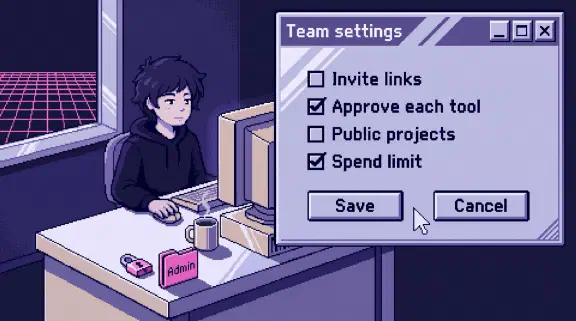
To set up a Claude Team plan, buy the seats, then work through Organization settings as an Owner before you invite anyone. Decide who is Primary Owner, how people join, which connectors are on and what they can do without a click, and how your company’s rules reach every seat. Team includes SSO and domain verification, while SCIM, audit logs, custom data retention and role-based access are Enterprise only, so on Team the rest is invites, toggles and a few written decisions. Here’s the order my setup goes in, and the defaults I’d change on day one.
This comes from Anthropic’s help center and pricing page, read on November 6, 2026, and from the steps my setup and the team check already write down. From our own org it takes only who holds the owner roles. I have no record of which settings we changed, so where a row says what I’d do, that’s my call and the reason, not a test result. It covers the plan’s admin side. Claude Code for a team has its own post.
| Setting | Where (Organization settings) | Team default | What to set |
|---|---|---|---|
| Primary Owner | Members | One per organization | The founder who least wants to read anyone’s chats |
| Joining | Organization and access | Invite links and member invites on for new Team orgs, and discoverability too | I’d turn off invite links and discoverability until the list of names is final |
| SSO and domain | Organization and access | Invite only once SSO is set | Verify the domain and restrict organization creation. SSO only if you already run an identity provider |
| Connectors | Connectors, plus Customize > Connectors | Off until an Owner adds one. Member requests on | Add what the first jobs need. Anything that sends, deletes or changes data: Needs approval |
| Cowork approvals | Capabilities and Cowork | New tasks start in “Automatically approve”: on. “Always allow” for connector tools: off | I’d turn the first off. Leave the second off |
| Company rules | Plugins & skills | A Knowledge Work marketplace, nothing of yours | My setup: the manual as a skill, then a Required plugin from a GitHub repo you own |
| Rate chats | Data and privacy | The pages I read don’t say | Off if your chats hold client data |
| Memory | Capabilities | On for most orgs created on or after October 31, 2026 | Decide before anyone starts |
| Project sharing | Data and privacy | Sharing and public projects both on | I’d turn public projects off. Share each client’s project only with that client’s people |
| Usage credits | Usage | Owners pre-purchase them | A monthly spend limit before you turn them on |
| Analytics | Not here: your initials, then Analytics | Owners and Primary Owners only | Weekly active members, checked at day 30 |
Where is the Claude admin console?
On Team it’s Organization settings in claude.ai, at claude.ai/admin-settings/organization. Analytics has its own item: click your initials in the lower left and choose Analytics.
The help articles name its pages Organization and access, Members, Usage, Data and privacy, Capabilities, Connectors, Plugins & skills, Cowork, Claude Code and Notifications. admin.claude.com is centralized management for Enterprise, in beta, so a Team owner can skip it.
How do I set up a Claude Team plan, step by step?
In this order, and invite people last.
- Create or upgrade. The account creator needs a business email. Existing accounts upgrade at claude.ai/upgrade. If you see a “Keep your personal account separate” checkbox, leaving it unchecked upgrades your existing account in place and cancels your personal Pro, Max or Ultra subscription (with a prorated refund), and content moved into an organization “can’t be moved back to a personal account.” I’d tick it unless that account only ever held work.
- Seats. Team is for 2 to 150 people, with Standard and Premium seats. Cutting seats waits until renewal, with no prorated refund. Who needs Premium and the full bill have their own posts.
- Primary Owner. Pick the person now (below).
- Joining rules. Before the first invite goes out, because pending invites take seats.
- SSO and domain. Optional on day one for a small team.
- Connectors and their tool permissions.
- Your company’s rules on every seat.
- Data and Cowork toggles.
- Invite everyone, and connect them in one session. That’s how my setup does it. A new hire’s first week is in AI for onboarding new employees.
Who should be the Primary Owner, and how do I change it?
The person your team would trust with a copy of everything. There’s one per organization, it can be a service account, and it’s the only role that can export data or hand the role on. Who should hold it is in the employer post.
In our org I’m the Primary Owner and my cofounder is also an Owner, so either of us can change settings, and only I can export.
To change it, the current Primary Owner goes to Organization settings > Members, opens the Role dropdown next to the new person, picks “Primary Owner,” and types that person’s email to confirm. One setup guide I read says this needs a support request. It doesn’t.
How do people join a Claude Team?
By your invite, an invite link, discovery or a teammate’s invite, and on a new Team org the last three are on by default (links and teammates’ invites, discovery). Invites expire after 21 days and hold a seat from the moment they’re sent. Teammates’ invites wait for “Approve one-by-one” by default, and people who join by link get the lowest seat tier.
Discoverability is pre-selected during Team onboarding, and it lives per domain under Organization settings > Organization and access. The option to watch is “Approve automatically”: with no free seats, “billing auto-expands and a new seat is purchased immediately.” I’d rather every seat be a name someone typed, so I’d turn off invite links and discoverability until the roster is final. SSO removes both anyway.
When someone leaves, removing them frees the seat but doesn’t lower your seat count. It also doesn’t delete their account or data, and their private projects become unreachable for everyone else. So client work belongs in shared projects (departed staff and client data). For last days we keep an access registry, one page per platform listing who has access, 33 pages on September 19 (more in the Claude Code post).
When someone leaves, check the API keys page in the Console as well as the member list. A workspace key, which Anthropic lists as legacy, belongs to the workspace and keeps working after the person who made it leaves the organization. A personal key stops working when its person leaves, and a service account key gives a shared job like CI its own identity, so nobody’s departure breaks it.
How do I set up SSO on Claude Team?
You need to be an Owner or Primary Owner, with access to your domain’s DNS and to your identity provider.
- In Organization settings, under Domains, click “Add or edit domains” and add the TXT record to your DNS. Save the TXT value before you leave the screen. Once the domain shows as Pending, the console won’t show it again. Verifying the domain alone doesn’t change anyone’s access.
- Turn on “Restrict organization creation” under Security, so nobody on your domain starts a separate org.
- Connect your identity provider. Anthropic has SAML guides for Okta, Entra ID, Google, OneLogin, JumpCloud and Duo.
- Pick provisioning. Invite only is the default. Just-in-time gives new people the User role. SCIM isn’t available on Team.
- Test, then decide on “Require SSO.”
“Require SSO” has two ways to lock people out. Anyone on your domain who isn’t in the identity provider’s Claude app can’t reach their existing Free, Pro, Team, Max or Ultra accounts. The accounts aren’t deleted, but tell people to export first. And if your certificate or client secret expires while it’s on, nobody in the organization can sign in to fix it, Owners included, and you’re writing to Anthropic support from an Owner’s email. Put the expiry date in a calendar the day you set it up.
At ten people I wouldn’t make SSO the first day’s job. Verifying the domain and turning on “Restrict organization creation” need no identity provider and carry no lockout risk, and Anthropic says a Team org with a verified domain can block new personal accounts on it. Claiming the accounts that already exist takes Enterprise. If you already run Okta or Entra for everything else, the math changes, since your people already sign in that way.
Why does a Claude connector say it requires owner approval?
Because on Team, an Owner or Primary Owner has to add each connector before members can use it. The owner goes to Organization settings > Connectors, “Browse connectors,” then “Add to your team,” and each person still signs in with their own account. Until then members see a “Request” button. On Team, requests are on by default and land on the Requests tab in Organization settings > Notifications, where you approve, decline, or decline and block the connector.
Then set what each connector may do. Under Customize > Connectors, every tool says Always allow, Needs approval or Blocked, and members can’t override what an owner sets. My team check says to set anything that sends, deletes or changes data to Needs approval. Gmail gets its own switch: owners decide whether members can let sends run without asking.
For what each of 33 common connectors can change, use the connector table.
Why is Claude setup blocked by IT policy?
Usually because a second admin, outside Claude, hasn’t said yes. Check these in order.
Google Workspace. The error reads “Access blocked: your institution’s admin needs to review Claude for Google Drive.” Your Workspace admin has to mark Claude as Trusted in the Google admin console, then wait about 15 minutes. The click path is in the Google Drive post. I haven’t hit this screen myself, because our own rule sends Google through one command-line tool and says “Never use MCP Gmail/Calendar/Drive connectors” (why).
Microsoft 365. After the Claude owner enables the connector, a Microsoft Entra Global Administrator has to grant a one-time consent before anyone in the tenant can connect. Find out who holds that role before you start (who that is at a small company).
The network. “Access restricted by network policy. Contact IT Administrator.” comes from tenant restrictions, which an IT team sets on its network proxy to let in only its own Enterprise or Console organizations. IP allowlisting is for Enterprise and the developer platform too. Neither is a Team setting, so if you see a block like that, the network you’re on is doing it, and its IT admin is the one to ask.
How do I put our company’s rules on every seat?
Three ways, which differ in who can switch them off.
- Organization instructions. Up to 3,000 characters in every conversation, set in Organization and access. Changes can take up to an hour.
- A provisioned skill. It reaches every user at once and also loads in Claude Code, but each person can toggle it off.
- A Required plugin. From a private GitHub repo. Members can’t remove it, and it stays on in Claude Code.
My setup writes the company manual as a skill first, then ships it as a Required plugin from a GitHub repo you own, “so every seat gets it and every update reaches everyone.” The reasons: a real manual (prices, how you scope work, your voice, what never gets sent) runs past 3,000 characters. Git keeps every version, so you can see who changed a price and when. And nobody can quietly switch it off.
The catch: in Claude Code, a Required plugin’s hooks run on each person’s computer, so Anthropic says to review them first. Skills also need code execution and Skills on in the Policy tab under Plugins & skills, and plugins need Cowork on. The copy-paste skill file is in the team check.
What data and privacy settings does Claude Team have?
Five that matter, each one decision. By default, Anthropic doesn’t train on Team chats.
- Rate chats (Data and privacy). A thumbs up or down stores the whole conversation for up to 5 years. Owners can turn the buttons off. The training post has the rest.
- Memory (Capabilities). On for each member in most orgs created on or after October 31, 2026. Turning it off for the organization deletes everyone’s memory immediately, so decide before people build it up. Who can see it.
- Project sharing and public projects (Data and privacy). Both on by default. Setting them by role is Enterprise only.
- Exports. Only the Primary Owner can export the organization’s data, and the link expires after 24 hours. Owners can also let members export their own.
- Retention. Custom retention is Enterprise only, so on Team, chats stay in the product until someone deletes them, and a deleted chat leaves Anthropic’s back end within 30 days.
What should I change in Cowork’s defaults?
One setting, at least. Cowork is on by default on Team, and so are cloud sessions and the built-in browser. In Organization settings > Capabilities, “Start new tasks in ‘Automatically approve’ mode” is on for Team and off for Enterprise. I’d turn it off, so new tasks start on “Manually approve” and people opt in task by task.
Leave “Allow ‘Always allow’ for connector tools,” under Organization settings > Cowork, off. It’s off by default. The rest, row by row, is in the Cowork safety post.
How do I keep an eye on usage and spend?
In Analytics, which only Owners and Primary Owners see: weekly active members, each skill’s uses and cost per use, connectors with read and write counts, and a spend CSV per person and model. Owners also pre-purchase usage credits and set a monthly spend limit for the organization in Organization settings > Usage. Set the limit before you turn credits on for anyone.
My setup ends with a check at day 30 on who’s using it every week. Run it yourself: write down your weekly active members today, and who isn’t on the list. The team check has a note you can send the team.
What doesn’t Claude Team have that Enterprise does?
From Anthropic’s pricing page:
| Feature | Team | Enterprise |
|---|---|---|
| Domain capture and migrating accounts on your domain | No | Yes |
| Role-based access | No | Yes |
| SCIM | No | Yes |
| Audit logs and Compliance API | No | Yes |
| Custom data retention | No | Yes |
Also missing on Team: HIPAA, default model settings, and different plugins or skills for different groups. On Team, a required plugin reaches every seat, and so does a provisioned skill. Before you outgrow Team, read when Team isn’t enough.
What about Claude Code?
Owners can push server-managed settings from Organization settings > Claude Code > Managed settings, and they apply to everyone in the organization the same way. Shared settings, the repo and the /setup command we use are in the Claude Code team setup post.
What I couldn’t confirm
- Two Anthropic pages disagree about Team. The roles table lists SSO and feedback settings as Enterprise only. The SSO and feedback articles and the pricing page say Team has them. I went with those. If your console doesn’t match, that’s why.
- A Primary Owner who leaves without handing over. The only change path I found is the current Primary Owner doing it. Transfer before anyone’s last day, or make the Primary Owner a service account the company controls.
- The Rate chats default. None of the pages I read says whether it starts on or off for a new Team org. Look, then decide.
What should I do next?
If you’re the Owner now, do the first four rows of the table before you send a single invite: Primary Owner, joining, SSO or at least the domain, connectors. Then score your org with the ten-question team check, or get a plan for your tools from the setup planner, no email needed.
If you’d rather have it done, my setup starts at $3,997 for one team of up to 20, and you pay for your own seats. One job live on your real work by day 14, or all your money back. It has you add me to your Claude Team, so ask which role I’d hold. Claude Team compared weighs doing it yourself, with coaching, or having it done. And if you’d like to see one job working first, hand off one job, free.