Custom GPTs Are Retiring: What to Use for Your Business

OpenAI is retiring custom GPTs on December 11, 2026, and moving them to ChatGPT plugins (its retirement and migration FAQ). If your business leans on a GPT, you have until then to migrate it to a plugin, rebuild it as a Claude Project, or replace it with something a team can share.
Which one depends on who uses it. A custom GPT was a fine choice if one person used it and it answered from a handful of documents that rarely change, like a rate card, a handbook or a style guide. The plugin version will be fine for that too. It starts failing once a whole team depends on it. The files are a snapshot from the day someone uploaded them. Answers don’t point back to a source unless you write that into the instructions. And everyone the GPT is shared with reads the same files, so you can’t give the sales lead and the new contractor different views. Migrating keeps all three problems.
What happens to my custom GPT on December 11?
Per OpenAI’s FAQ, as of October 25, 2026:
- Retirement is December 11, 2026. Custom GPTs and their GPT pages become inaccessible that day. Enterprise workspaces with an approved deferral get until February 11, 2027.
- New GPTs are already on their way out. Personal accounts (Free, Go, Plus and Pro) can’t create or publish new GPTs. The FAQ now lists October 26, 2026 as the planned end of new GPT creation, a month after the September 25 date first reported. You can still edit a GPT you haven’t migrated.
- Migration is a button. When it’s available for your account, you go to My GPTs and pick “Migrate to plugin.” After that, the original GPT still works until retirement but becomes read-only.
- Your old chats stay. Existing GPT conversations remain accessible after retirement, but they don’t move into the new plugin.
OpenAI says the dates are targets that can vary by account or workspace and may change, so check the notice inside your own ChatGPT account too.
What carries over, and what doesn’t
The migration turns the GPT’s instructions into a skill inside the plugin, adds its connected apps as apps, and copies its knowledge files over as reference files. Only the latest published version moves, so publish any draft changes before you migrate.
Several things stay behind (EdTech Innovation Hub’s summary of the FAQ lists them):
- Sharing. A migrated personal plugin starts private. Everyone who used your shared or public GPT has to be given access to the replacement.
- Custom actions. If your GPT called your own API, that integration doesn’t migrate. You rebuild it with an existing app or a custom MCP server, and until you do, whatever depended on it stops working.
- The model. The model selected for the GPT doesn’t transfer.
- Conversations. As above, they stay with the old GPT.
The knowledge files are the part I’d look at hardest. They come along exactly as they were uploaded, so if the GPT was out of date before, the plugin is out of date on day one.
Should I migrate to a plugin or move to Claude?
If you live in ChatGPT and the GPT is a one-person tool, migrate it. It’s a button, and you keep everything except the items above.
If you’d rather move to Claude, a Claude Project is the closest match. A project has its own instructions and its own knowledge files, and every chat in the project can use them. I couldn’t find an official tool that imports a GPT into Claude, so moving one is manual: paste the GPT’s instructions into the project’s instructions and upload the same files. On paid plans, Claude switches to searching a project’s files once they get too big to read all at once, which Anthropic says stretches a project’s capacity by up to 10 times. A GPT takes up to 20 knowledge files of up to 512 MB each.
Either way you end up with the same shape: a person curates a pile of files, and the AI answers from the pile. That’s the right amount of tool for one person. For a team, the retirement is a good moment to ask whether a pile is what you need at all.
When a custom GPT (or its replacement) is enough
If you’re a solo consultant and you want your proposal template, your rates and three writing samples in one place, a GPT, its plugin or a Claude Project is the right amount of tool. Nothing in that pile changes weekly, you’re the only one asking, and you already know which file every answer came from because you wrote all of them.
I wouldn’t hire anyone to build that for you. An afternoon with the instructions box covers it. On Claude, Anthropic’s free Small Business plugin starts by interviewing you about your business.
Where it breaks for a team
I run my company on a company brain built in a git repository with Claude Code. Each of the three problems above is one we had to solve for it.
The files go stale
A knowledge file is frozen on upload day. Your pricing changed in September and a client said something important on Tuesday’s call, but the GPT still answers from the PDF someone uploaded in June. Nobody is assigned to re-upload, so nobody does. Stale files are only half of it. When I went looking in my own company, some of the written copies were wrong to begin with, like a README that said 73 rules when the file had 151 (the five places our knowledge hid).
Our brain gets fed on a schedule instead. A client email sync is scheduled for 9am, 1pm and 4pm Eastern on weekdays, and a job checks for new meeting transcripts every hour. Each founder also runs an end-of-day command that files the day’s meetings and email into the right client folder.
Scheduling breaks too. The hourly transcript job has opened 70 pull requests since it went live on September 28, all of them in shadow mode, and between them they would have filed exactly one transcript. Its confidentiality gate holds anything it isn’t sure about, and right now it isn’t sure about much. That is slow and a bit embarrassing. I still prefer it to a folder that silently ages, because I can see every one of those 70 runs and what it held.
Answers don’t come with sources
OpenAI’s own guidance says that if you want a GPT to cite uploaded content, you have to ask for it in the instructions.
On a team, the answer is only as useful as your ability to check it. When my co-founder asks what we promised a client about hosting, the brain answers with a link to the email or transcript line where we said it. Our pricing and scope rules show up in drafted proposals as a line naming the ruling ID and its date, so whoever reviews the proposal can see which rule shaped it. That line exists because a rule in our root CLAUDE.md says to print it every time.
Everyone sees the same pile
A GPT’s knowledge belongs to the GPT. Whoever can open it can ask about anything in those 20 files. That’s fine for a handbook. It’s a problem the moment you’d like to add a client contract, a salary band or a board deck.
We hit the mirror image of this problem. When we started logging company rulings, six of the first ones came out of one person’s private AI memory, including the rule that the AI never sends client email. Those rules governed that person’s sessions and nobody else’s (the full story). A team brain needs both a shared layer and rules about who reads what, including flags that keep a lesson from one client’s project out of another client’s documents.
Two people also means two copies of everything. Two founders get the same meeting invite and the same client thread, and without coordination both of us file it and both of us create the same follow-up task. Solving that took a shared coverage table (how we split the work), and it’s a problem a single-user GPT never has to think about.
Why the team version needs search
If what you wanted from a GPT was to train ChatGPT on your company’s data, you almost certainly don’t need training. A custom GPT, a Claude Project and our company brain all leave the model untouched and look things up instead. I compared the four ways to do that, from uploading files to actually fine-tuning, in how to train ChatGPT on your own data.
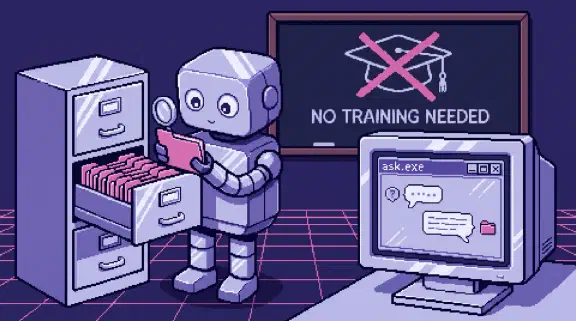
The lookup is called retrieval, and it works like a new hire with a filing cabinet. A question comes in. Search pulls the few passages most likely to matter. Those passages get placed in front of the model alongside the question, and the model answers from them. If the right document isn’t in the cabinet, or search can’t find it, the smartest model in the world answers from nothing.
The idea has a paper behind it. In 2020, Lewis and colleagues paired a language model with a searchable index of Wikipedia and called it retrieval-augmented generation. Their abstract names the two problems they were after: showing where an answer came from, and updating what the model knows. Those are the same two problems a stale custom GPT has.
So the work goes into the cabinet and the search. Ours runs on Vertex AI Search (Google is renaming it Agent Search) over 1,365 documents for somewhere between $0 and $6 a month, and on two of our three test queries plain text search found nothing at all (the details). We also tried a knowledge graph on top and killed it after two identical runs disagreed on most of their labels (the test). The model matters less than people expect. On one structured extraction job, a cheap model matched the frontier model at roughly a twentieth of the cost.
What teaching it your business looks like
It looks like writing things down where the AI reads them. Our repo has 20 CLAUDE.md files that tell Claude what each part of the company is and where things live. The root one is 223 lines, and most of them exist because something went wrong without them. Rulings go in an append-only log. Each client gets a folder. Email and transcripts arrive on a schedule, and a person reviews what the AI files.
It’s the same stuff you’d hand a sharp new hire on day one, kept current by jobs instead of by whoever remembers.
If your team has outgrown its GPT
If your GPT was already out of date, the December deadline is a good excuse to stop re-uploading files. Before you decide anything, try the demo and see what the team version answers, with a source for every line. If you want a plan for your own tools without a sales call, the setup planner asks six questions and gives you one, no email needed. If you’re comparing builders, here’s what 56 of them charge and what to ask them. If you’re weighing ChatGPT Business against having one built, here are the two side by side.
And if you want me to set it up: I put standard Claude Team on one team’s email, docs, calls, spreadsheets and calendar, with your company written down and access rules for each person, in accounts you own, so nothing is stuck in my login or a GPT store when we’re done. It’s from $3,997 for one team of up to 20. One job live on your real work by day 14, or all your money back.