Best Backend Framework for Vibe Coding: Why I Pick Django
If you’re vibe coding a web app, or building one with Claude Code at your side, Django plus HTMX is the stack I’d pick. I’ve shipped with Flask, Django and FastAPI, and for a small team I still pick Django. I think the reason it works so well with AI comes down to how LLMs learn.
Convention Over Configuration (And Why AI Loves It)
Django is famously opinionated. Models live in models.py, views in views.py, URL patterns in urls.py, and templates in a templates/ folder next to the app.
For years, this was seen as a limitation compared to Flask’s flexibility. But in the LLM era, conventions are training data.
When you ask Claude to build a Django feature, it knows:
- Where to put the model
- How to structure the view
- What the URL pattern should look like
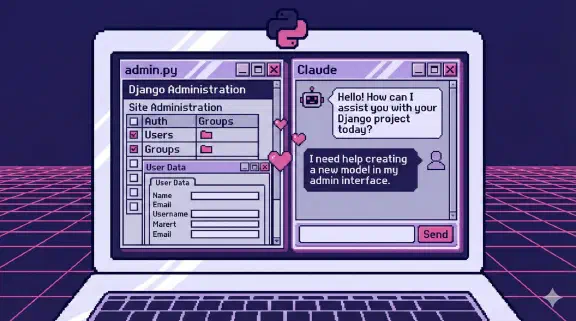
- How the admin interface works
It knows this because Django has been open source since the summer of 2005, so there are more than 20 years of Django code in its training data, and that code follows consistent patterns.
Django + HTMX vs React
Ask an AI to add a feature to a React app and you’ll get follow-up questions:
- Are you using Redux, Zustand, Jotai, or React Context?
- Class components or functional?
- Which router?
- What’s your folder structure?
The JavaScript ecosystem’s flexibility means infinite variation. That variation means AI can’t assume anything.
React has far more code out there than Django does. In the 2024 Stack Overflow Developer Survey, 39.5% of respondents said they’d done extensive work in React over the past year, against 12% for Django. So sheer volume can’t explain why AI does better with Django. My bet is consistency: a Django project from 2012 and one from last week put the models, views and URLs in the same places.
Django Admin as Your MVP
Django’s admin interface is criminally underrated for AI-assisted development. I haven’t seen a better built-in admin in any framework, in any language, and Django developers seem to agree: in the 2023 Django Developers Survey run by the Django Software Foundation and JetBrains, 77% of around 4,000 respondents picked the admin as one of the most useful contrib apps, ahead of auth at 74%.
At ContactAI, the startup I was building in 2024, Django admin was our primary MVP interface. Here’s what that got us:
- Describe the model, get the interface. Django admin automatically generates CRUD interfaces from model definitions. The admin docs describe it as reading “metadata from your models to provide a quick, model-centric interface.”
- AI understands the conventions. When you need customization, AI knows exactly how
ModelAdminworks. - Rapid iteration. Make a change, see it immediately, no frontend deployment needed.
We spent roughly two days configuring the admin to cover what would have been three to four weeks of custom frontend work. ModelAdmin classes, list_display, search_fields and custom actions got us 80% of the way there. With AI in the loop the admin-as-MVP pattern gets faster still.
It works when your first users are internal, the job is CRUD on structured data, and you need to validate an idea before investing in custom UI. It doesn’t work for consumer-facing products that need their own branding, complex interactive interfaces (email clients, design tools) or high-volume public forms. The admin docs say the same: its “recommended use is limited to an organization’s internal management tool,” and it’s “not intended for building your entire front end around.” The admin is an internal power tool, and it should stay internal.
Django + HTMX
Django + HTMX is the most AI-friendly web stack I’ve worked with. I’m not the only Django developer reaching for it: in the 2023 Django Developers Survey, htmx use went from 5% of respondents in 2021 to 23% in 2023, while React slipped from 37% to 35%.
Show the data
| Survey year | Respondents using htmx |
|---|---|
| 2021 | 5% |
| 2022 | 16% |
| 2023 | 23% |
The htmx docs describe it as a dependency-free library you add with a <script> tag, with “no need for a build system.” HTMX keeps your application logic in one place. There’s no separate frontend codebase to keep in sync with the backend, and no “it works on my machine but fails in production because of a hydration mismatch.”
When I ask Claude to add interactivity to a Django page:
- It adds an HTMX attribute to the element
- It adds a view that returns a partial template
- It works
Compare this to adding interactivity in a React app, where you might need to modify state, add effects, handle loading states, manage optimistic updates, and ensure proper cleanup.
The “Batteries Included” Advantage
Django ships with:
- Authentication
- Admin interface
- ORM
- Forms with validation
- CSRF protection
- Session management
- Caching framework
- Testing utilities
Every one of these is something AI has seen thousands of implementations of, in a consistent API. When you ask for help with Django auth, AI doesn’t need to ask which auth library you’re using.
A Real Example
Here’s a recent interaction I had with Claude:
“Add a webhook endpoint to my Django app that receives Stripe events, verifies the signature, and updates the user’s subscription status.”
In one response, I got:
- A view with proper signature verification
- Model updates with proper error handling
- URL configuration
- A test using Django’s test client (I let Claude write my tests too, and about 15% of them failed on the first run because of real bugs)
No follow-up questions about which web framework, which Stripe library, or how to structure tests.
Why This Matters for Startups
When you’re building fast, every decision about which library to use, which pattern to follow, or how to structure code slows you down.
Django makes most of these decisions for you, and the AI already knows what Django decided.
I’m shipping features in hours that would have taken days when I was context-switching between a React frontend, a Node backend, and trying to remember which state management library I chose last month.
Django is also predictable. It ships a feature release roughly every eight months, and its long-term support releases get security and data loss fixes for typically three years, per the release process docs. You can plan upgrades around that instead of chasing a framework that rewrites itself every year. And one Django app is one deployable, which is the monolith I’d start any small team on anyway.
The Trade-offs
Django isn’t perfect for everything:
- Real-time applications might need something else (though Django Channels exists)
- Heavily interactive UIs might outgrow HTMX
- Python’s performance ceiling is lower than Go or Rust
But for most web applications, especially at a startup where speed to market matters, how well AI knows Django is hard to beat.
Recommendations
If you’re starting a new project:
- Consider Django + HTMX first. You can always add React later if you genuinely need it.
- Use Django Admin for internal tools and your first MVP. Don’t build admin interfaces from scratch. The admin is only as good as your data model, so define your models carefully first, then customize
ModelAdminwithlist_display,search_fieldsand admin actions. - Lean into conventions. The more standard your Django app, the better AI can help.
- Pair with Claude Code. Claude’s Django knowledge is exceptional. The prompting lessons from building my guide apply here too.
How well AI understands a framework is now part of how I pick one, and Django comes out ahead.
If you’re building on Django with Claude Code and want help setting up the workflow, I do coaching over screen share. Build It Yourself coaching is four 90-minute sessions for $1,997.