Does Claude Team Have Audit Logs?
No. Claude Team has no audit logs and no Compliance API. Anthropic’s pricing page marks both “No” for Team and “Yes” for Enterprise, and the audit log article opens with “Audit logs are available for Enterprise organizations only.” On Team, an Owner gets usage analytics and the Primary Owner gets a full export of the organization’s chats. The record of what Claude changed lives in the audit log of the app it changed, such as Google Workspace, HubSpot or Jira.
A client put the real question better than the search box does: “How do I know when AI did something wrong, and how do I stop it?” An audit log answers less of that than people expect, even on Enterprise. The answer on Team is approval on every write, plus the logs your other apps already keep.
I read Anthropic’s pricing page and help center, and Google’s, HubSpot’s and Atlassian’s admin docs, on November 13, 2026. I haven’t seen an Enterprise audit export myself.
Show the data
| Where | Plan or tier | What it shows |
|---|---|---|
| Usage analytics | Team, for Owners and the Primary Owner | Who’s active, each connector’s users, and counts of read and write actions. Not what any single write changed |
| Organization export | Team, Primary Owner only | Every chat in the organization, except chats deleted before the export |
| Member list | Team | Who’s in and which role each person holds, with a CSV export |
| Google Workspace | Editions that log Drive events | A Drive log with an “App name” column, files read through the API as “Item content accessed,” and each authorization in the OAuth log |
| HubSpot | Plans that log CRM changes (not Starter) | Creates and updates, attributed to both the user and the Claude connector |
| Jira and Confluence | Every tier; Guard Standard adds who authorized | Every tool call, with the tool name, action and user |
| Audit logs | Enterprise only | Sign-ins, invites, projects, uploaded files, chats by ID only, and data exports, as a CSV. No connector calls |
| Compliance API | Enterprise only | The same activity as a feed, plus the chats, files and projects themselves, and Cowork and Claude Code transcripts |
What does Claude Enterprise’s audit log record?
Who signed in and what they created, mostly. Anthropic’s event list covers sign-ins, invites, removed users, SSO and domain settings, projects, uploaded files, chats created, renamed or deleted, and organization data exports. Owners download it as a CSV covering the past 180 days. Chat titles and content aren’t in it, only their IDs. Nothing on that list is a connector call or a change Claude made in another app.
The bigger Enterprise tool is the Compliance API. It returns the same activity as a feed. It also returns the chats, files and projects themselves, plus transcripts of Cowork and Claude Code sessions, so a security team can pull them into its own tools. Enterprise also has inference hooks, which send the prompts you choose to govern to your own security server before Claude answers, and that server can refuse one.
Enterprise costs $20 a seat a month, billed annually, with a 20-seat minimum, plus usage at API rates. For a firm smaller than that minimum, the question is what Team can do, so the rest of this post is about Team.
What can a Claude Team Owner see instead?
Three things, none of them a log of individual actions:
- Usage analytics. Owners and the Primary Owner see who’s active and each connector’s users, with counts of read and write actions. A spend CSV has one row per person per model and goes back up to 90 days. It tells you who used Claude and how much. It doesn’t say what any single write changed. Admins see analytics only on Enterprise; the roles post has who holds what.
- The organization export. Only the Primary Owner can export every chat in the organization. It’s the nearest thing Team has to a transcript, with one gap for an audit: chats deleted before the export aren’t in it. What’s in it, and what staff should be told, is in can my employer see my Claude chats.
- The member list. Who’s in, and which role each person holds, under Organization settings > Members, with a CSV export of each person’s name, email, role and seat type.
Where does a record of what Claude did actually live?
In the app Claude touched. A connector each person signs in to acts through that person’s own account, so the app’s audit log records the change under them, and some apps also name Claude:
- Google Workspace. The admin console’s Drive log events have an “App name” column for “the app that performed the action,” on the Workspace editions that log Drive events. A file Claude reads through the Drive API shows up there as “Item content accessed.” The OAuth log records each time someone authorizes a third-party app like Claude.
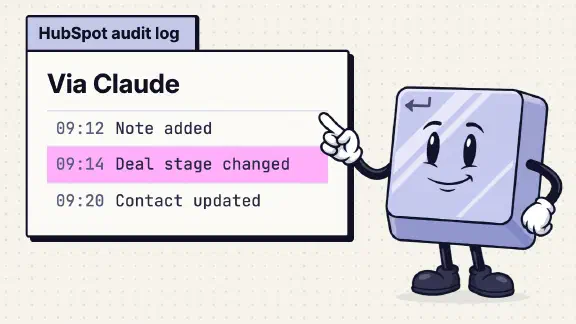
- HubSpot. Creates and updates through the Claude connector are attributed “to both the user and the Claude connector” in HubSpot’s Audit Log. Which HubSpot plans log CRM changes is in the HubSpot post; Starter doesn’t.
- Jira and Confluence. Atlassian logs every tool call with “the tool name, action, and user” on every tier. With Guard Standard it also logs who authorized the app, but only the first person, so keep your own list (the Jira post has the details).
For “what did Claude change in our CRM last Tuesday,” these logs beat Claude’s own. Enterprise’s audit log would show that someone created a chat. HubSpot’s shows the deal that moved.
How do I stop Claude from doing the wrong thing on Team?
Make every write wait for a person. Owners on Team can set each connector’s tools to Always allow, Needs approval or Blocked, for the whole organization, and members can’t override it. Leave reads on Always allow, put writes on Needs approval, and block deletes outright. Claude also can’t do more in an app than the person’s own account allows there, so a bookkeeper’s Claude can’t touch what the bookkeeper can’t.
That gives you a control before the change and a record after it: the person clicked approve, and the app logged the change under their name. If a connector is still asking members for owner approval, the setup post covers why.
What do I tell a client who asks for an audit trail?
Tell them where the trail is. Something like:
We use Claude Team. Claude has no audit log of its own on our plan. Every change it makes in [HubSpot / Google Drive] goes through a named person’s account, waits for that person’s approval, and is recorded in [that app]’s audit log under their name. Claude’s delete tools there are set to Blocked. Our Primary Owner, [name], can export our full Claude chat history if we ever need to show what was asked.
Fill in only what’s true for your setup, and check the app’s log shows a test change before you send it.
If the client’s contract or security questionnaire asks for an audit log of the AI tool itself, Team can’t give one, and the honest answer is Enterprise. The SOC 2 post has the wording for the rest of that questionnaire, and the Cowork post has my call on regulated work that needs an audit trail.
What I couldn’t confirm
- Claude’s name in Google’s Drive log. Google documents the “App name” column, but I haven’t checked that a Drive change made through Claude’s connector shows “Claude” there. Make a test change and search the log before you promise it to a client.
- What Enterprise’s activity feed adds. The Compliance API’s feed may record events the audit log export doesn’t list, such as connector calls. Anthropic’s overview doesn’t say, and I haven’t seen the feed.
What should I do next?
Open Customize > Connectors, pick the connector that can write to something you care about, and set its write tools to Needs approval. Then make one test change and find it in that app’s audit log. Score the rest of your org with the ten-question team check, no email needed.
If you’d rather have it done, my setup starts at $3,997 for one team of up to 25, with every connector’s writes set to ask first. One job live on your real work by day 14, or all your money back.
Sources for the facts on this page, checked November 7, 2026: Access audit logs, Claude pricing, View usage analytics for Team and Enterprise plans.