Is Claude Safe for Business? What I'd Check First
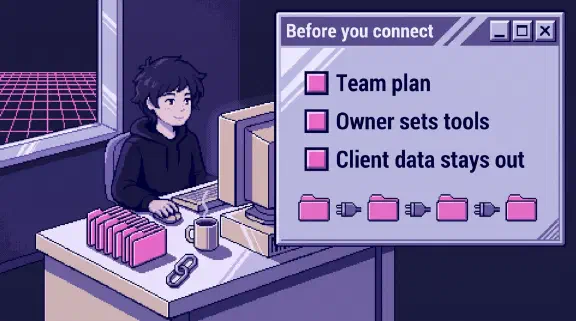
Yes, for most small-company work, if three things hold. You’re on a company plan (Claude Team or Enterprise), not personal seats. Someone decides what each connected tool may change before anyone clicks Allow. And a short list of data stays out: client data the contract doesn’t allow, health data on Team, and anything regulated that needs an audit trail Team doesn’t keep. The model is rarely where things go wrong. The plan, the connectors and the approval settings are.
I’ve spent the past week reading Anthropic’s docs and each vendor’s own pages for twenty-odd posts on single tools, and this page pulls the answers together. Our company runs on Claude, Google Workspace and QuickBooks, so some of this comes from our own setup and one mistake of ours, which is further down.
Personal plan or Team plan
This is the first decision, and it settles most of the privacy questions.
- Training. Team and Enterprise chats aren’t used to train models unless you join the Development Partner Program. On personal plans it’s a setting, and if it’s on, de-identified data can be kept up to 5 years. Turn it off.
- Audits. Claude Team is in scope for SOC 2 Type 2, and HIPAA is marked N/A for Team. What to write on the security questionnaire.
- Who sees chats. On a company seat, nobody browses your chats in the app, but at least one person can export them, incognito chats included. Who sees what, and what to tell your team before they find out.
- Audit logs. On Team you don’t get audit logs or the Compliance API. Those are Enterprise only, which is why I’d keep regulated work out of Cowork on a Team plan.
If people are using personal accounts for company work today, that’s the first thing to fix. A personal seat connected to the company’s email or books skips every control an owner could set.
When Team isn’t enough
Most 10-person companies I’d put on Team. Enterprise earns its price when a customer, a regulator or your own lawyer asks for something only it does:
- A record of who did what. Audit logs and the Compliance API, which reaches chats, files and session transcripts, are Enterprise only. If a security questionnaire asks whether you keep logs of AI use, Team’s answer is “not through Anthropic,” plus whatever you keep yourself.
- Health data. Only Enterprise can enable HIPAA. It’s a one-way switch, connectors aren’t covered for data sent on to other companies, and Claude Code and Cowork need an extra setup that Anthropic only does through an account team. The details.
- How long chats are kept. Custom data retention is an Enterprise feature.
- Company accounts staying in the company. Enterprise can stop company tools being connected to accounts outside the organization, and can claim personal accounts on your email domain, with notice at least 30 days out.
- Checking plugins and skills. Scanning them is Enterprise only. On Team, a person reads them before anyone installs one.
The same features mean more people can reach staff chats, such as anyone holding a Compliance Access Key. If you move up, tell your team who those people are.
What to keep out
- Client data, unless the client’s contract allows it. Turning training off doesn’t release an NDA. The three things that have to hold.
- Health information on Team, since HIPAA isn’t covered there. Enterprise can sign a BAA, below.
- Account numbers. You can work on bank statements once you strip them, and check every total yourself.
- Meeting transcripts with salaries and passwords in them, unless something stops them where they’re stored. Ours didn’t.
Connected tools are where the risk is
A connector reaches what the person who connected it can reach, and its name usually undersells what it can change. “QuickBooks” sounds like reading a P&L. Here’s what surprised me in each tool’s own docs:
| Tool | What the name doesn’t tell you | Set this first |
|---|---|---|
| QuickBooks | Creates, sends and deletes invoices | Decide read or write before you click Allow |
| Gusto | The listing says “query and analyze.” The tools can run payroll | One named admin approves every call |
| Ramp | Full access is the default, and an approved bill can start the payment | Pick Read-only on Ramp’s sign-in screen |
| Stripe | Refunds need a person. Voiding invoices and canceling subscriptions don’t | A sandbox, then the fewest permissions |
| Google Drive | Tools to share files and move them to the trash | Block share_file and trash_file |
| Google Calendar | Every event change emails all attendees by default | Writes on Needs approval |
| Gmail | Can draft and send | Sending on Needs approval, set by the owner |
| Slack | Channel and thread tools read private messages, and it can send | Set every tool, not just private search |
| Jira | The same connector reaches Confluence and Bitbucket, and can merge code | An Atlassian admin sets the groups |
| Notion | On Business or Enterprise with Notion AI, it can search linked Slack, Gmail and Drive | Check what your workspace links to |
| HubSpot | Can publish to your website | Writes on Needs approval |
| Dropbox | Deletes files and can’t restore them | Block delete |
| Shopify | Changes products, prices and stock | A staff login limited to what Claude should touch |
| Fireflies | Any teammate can open your meetings by default | Change that Fireflies default first |
| Microsoft 365 | SharePoint search finds old overshared files | Search as your most junior employee |
| Xero | The read-only connector is fine. Its two MCP routes write | Read the consent screen |
The full list of 33 connectors, with every tool sorted by what it does, is in the connector table.
Who approves what Claude does
Anthropic’s default for connectors is that each action needs your OK. You can change that per tool to Always allow, Needs approval or Blocked, and on Team an owner can lock those settings for everyone. That’s the setting I’d use, because it doesn’t depend on ten people each remembering.
Two products change who’s approving. In Claude Code, the default approver may not be you, since new sessions can let a second model approve actions. In Cowork, “Skip all approvals” means nothing checks. I’d keep both away from tools that send, pay or delete.
Files that give Claude instructions
Plan as if a document, email or web page can carry hidden instructions. Security researchers have shown it with white 1px text hidden in a document. The risk needs two things at once: Claude reads something from outside your company, and in the same chat it holds a tool that can hurt you. So the practical rule is to keep write tools off in chats where Claude reads strangers’ files or mail. The Drive post has the demonstrations.
The mistake we made
Our worst moment wasn’t a connector. We built a four-layer gate to keep confidential meeting transcripts out of our shared repository, and two days later a documentation pull request merged 46 transcripts right past it. The gate worked. It just wasn’t anywhere that pull request had to go through. The full story is about where a check sits, and it applies to every setting above: a rule only protects you where the data actually flows.
Where I’d start
- Move company work onto Team, or Enterprise if you need audit logs, HIPAA or your own retention. Turn training off on any personal seat that stays.
- List every tool someone has connected, with one owner per connection and the date.
- For each one, set the tools that send, pay, share or delete to Needs approval or Blocked, as an owner, for everyone.
- Write down what stays out: client data without a contract that allows it, health data, account numbers.
- Look at the list once a month.
That’s the one-page connector policy in short, and the full version is ready to copy.
The setup planner gives you a plan for your own tools after six questions, no email needed. If you’d rather start from one job, send me your last proposal, customer reply or weekly update through Hand Off One Job, and within 48 hours I’ll send back a free setup that writes the next one.