How to Share a Claude Skill With Your Whole Team
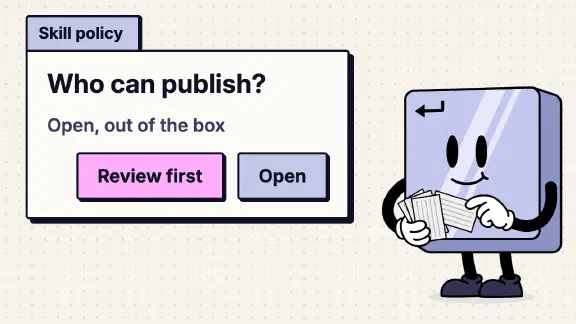
On a Claude Team plan, skill sharing is already on, and any member can publish a skill to the whole company without anyone approving it. That’s because Publishing, under Organization settings > Plugins & skills > Policy, is set to “Open” by default. So to share a skill with everyone, you upload it and publish it to the organization, and it lands in the company’s library for anyone to install. An Owner can also add a skill from that same page, which gives it to every seat at once. If your firm handles client data, I’d switch Publishing to “Requires review” before anyone publishes anything, and give one person the job of owning the company manual skill.
Anthropic’s help center gives four different answers to whether your teammates get a skill you share. So on November 12, 2026, I had Claude go through the settings pages of my company’s Team org, signed in as the Primary Owner, and copy down what each switch says. Claude changed nothing. This post is what the live screens say, where they settle the help center, and what I still couldn’t check. It’s one piece of the owner’s side of Claude 101: the course’s skills lesson shows a member how to make a skill and stops short of who else gets it.
What are the skill switches on Claude Team?
They sit on the Policy tab of Organization settings > Plugins & skills, next to the Inventory, Marketplaces and Requests tabs. Here’s every switch, with the label and description exactly as our org’s page printed them on November 12. Each one showed “Default”, so none had been changed.
| Switch | Default | What the page says |
|---|---|---|
| Cloud code execution and file creation | On | “Required for skills” |
| Skills | On | “Turn skills and plugins on or off for everyone in your organization, including admin-managed organization skills.” |
| User-created skills | On | “Turn off to lock your org to approved skills only.” |
| Skill sharing | On | “Allow team members to share skills and plugins with each other.” |
| Publishing | Open | Three options: “Requires review”, “Open”, “Off”. “Publishing makes a skill or plugin available to everyone at” your company |
The code execution switch also shows up in Capabilities. It’s the same switch, so turning it off in either place stops skills for everyone. The help center calls it “Code execution and file creation” in some articles and “Cloud code execution and file creation” in others, and puts it on one page or the other. The live org has it in both places.
The page names are moving. One help article says the skills policy now lives under “Organization settings > Library > Policy”, and another article’s troubleshooting section says “Organization settings > Skills”. On November 12 our org still said Plugins & skills, under a Plugins heading. On the member side, the help center says the sidebar’s “Customize” became “Plugins” for Team on November 9. My own sidebar still said Customize three days later, so look for either.
Sharing, publishing and provisioning: what’s the difference?
A skill reaches other people three ways, and they differ in who gets it and whether anyone checks it first.
| Way | Who can do it | Who gets it | Checked first? |
|---|---|---|---|
| Share | Any member, while Skill sharing is on | Colleagues you pick | No |
| Publish | Any member, while Publishing isn’t Off | Everyone, from the organization library | Only with “Requires review” |
| Provision | Owners only | Every seat, straight away | The Owner is the check |
Share is for a draft or a skill two people need. Anthropic’s skills page says “Shared skills are view-only” and “If you update the skill later, recipients automatically get the updated version at next use.”
Publish puts it in the company library. With the default setting, the admin article is blunt: “When Publishing is set to ‘Open,’ anything a user publishes goes straight to the organization library without review and is available to everyone in your organization”.
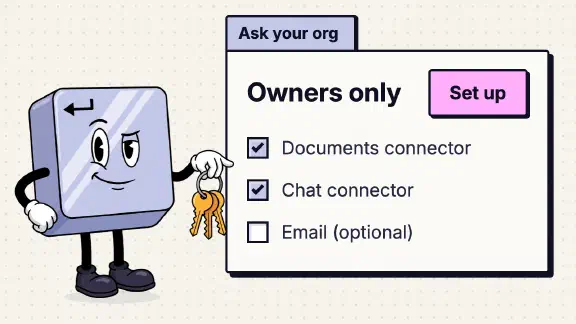
Provision is the Owner’s route: Organization settings > Plugins & skills > Add, then “Upload a skill” or “Create a skill”. Anthropic says “The skill is immediately provisioned to all users in your organization.”
Aiming a skill at only some people takes groups: the help center describes a reviewer choosing “everyone or specific groups”, and assigning a plugin to a group is Enterprise only. Our Team org showed no groups, so in practice a bookkeeping skill for two people goes to everyone or gets shared one person at a time. To make a skill nobody can turn off, ship it in a Required plugin (how that works).
How does a member share or publish a skill?
From Anthropic’s steps: open Customize > Skills (Plugins, filtered to skills, where the rename has reached you), click “+”, then “+ Create skill”, then “Upload a skill”, and pick a ZIP with a skill.md file inside. Uploaded skills stay private: “Custom skills you upload aren’t visible to colleagues until you share them.” From the skill, the Share button sends it to named colleagues, and publishing sends it to the organization.
I didn’t test this part. My account is the Primary Owner, and an Owner’s screen doesn’t show what a member sees. So I don’t know whether a fresh member’s Share button looks the way the help center describes.
Will my teammates have the skill turned on?
The help center gives four answers:
- Provisioned skills “appear automatically in every team member’s skills list and can be set as enabled or disabled by default” (What are skills?).
- “Owner-provisioned skills are enabled by default for everyone, but users can toggle individual skills off” (the admin article).
- Organization skills: “You install these from the directory rather than enabling them from the list” (the skills page).
- Shared skills: “These stay off until you turn them on” (the same page).
The live org settles part of it. In the Inventory tab, items in our organization library read Audience “Everyone · can install”. So a published skill waits in the library until each person installs it, which matches the third answer. Nobody gets it just by being in the company, unless an Owner changes its default access to “Installed by default” or “Required” in the Inventory. A skill a colleague shares with you is off until you switch it on, per the fourth.
The live org settles the Share button question too. The skills page says an Owner has to turn on “Share with organization” or “Share with groups” before the Share button appears. Neither switch is on our Policy tab. What’s there is Skill sharing, on, and Publishing, Open, and the admin article explains that Publishing replaced the older “Share with organization” setting. So on a Team org today, the switches that sharing depends on are on from the start.
In practice, publishing a skill doesn’t tell anyone. Post its name in the team chat and ask people to install it, or have an Owner provision it.
What can the Owner see?
Everything’s name, nobody’s files. The Inventory tab lists every skill and plugin, “including the ones members created for themselves”, with its source, its audience and a “Users (30d)” column. The help center matches: “Admins can see their names and sharing status, but not their files”.
Users (30d) is the column I’d watch. A published skill nobody has used in a month is clutter in everyone’s library. The admin article says to remove one from the Inventory tab with “Remove from library”, and “Only owners can add or remove organization-wide skills.”
What happens to a skill when its author leaves?
It keeps going. Anthropic says “If the author leaves, the published item stays in the library.” Our Inventory tab showed the other half: a banner said some former members still share items with the team, with a Review button and the line “review to keep or stop sharing”. So skills from people who left keep working for whoever had them until an Owner opens that banner and decides. Add it to the list you run through on someone’s last day.
What I’d change on day one
Switch Publishing to “Requires review” if you handle client data. A skill is instructions every teammate’s Claude follows, and it can carry scripts as well as text. With Open, a skill that pastes a whole client file somewhere it shouldn’t, or quotes last year’s prices, reaches the whole company without anyone reading it. The cost of review is an Owner reading each skill before it goes out, which at a small firm is the point. Leave Skill sharing on, because sharing with one colleague is how a draft gets tested before it goes to everyone.
Give the company manual skill one owner. Prices, how you scope work, your voice, what never gets sent: that’s one skill, and one person edits it. Everyone else sends that person their changes. Without an owner, you get the problem I wrote about with Claude’s Small Business plugin: ten people, ten versions of your prices.
Look at the Inventory once a month. Skills pile up faster than anyone expects. In our own Claude Code setup we deleted half of them in three months and the pile grew back. Remove what nobody uses, and clear the former-members banner.
What I couldn’t confirm
- The member’s side. I didn’t sign in as a member, so the Share button, the publish dialog and what a teammate sees in the library are from the help center, not a test.
- Provisioned skills, on or off. Answers one and two above disagree on whether an Owner can provision a skill switched off by default. I didn’t provision one to find out.
- Where a “Requires review” submission goes. The page has a Requests tab, and the help center says Owners review submissions. I didn’t submit a skill to watch it arrive.
What should I do next?
If you’re the Owner, open Organization settings > Plugins & skills > Policy and decide on Publishing before anyone publishes a skill. Then score your org with the ten-question team check, which includes the copy-paste skill file for your company manual.
If you’d rather have it done, my setup starts at $3,997 for one team of up to 25, and you pay for your own seats. One job live on your real work by day 14, or all your money back. It writes your company manual as a skill and puts it on every seat.