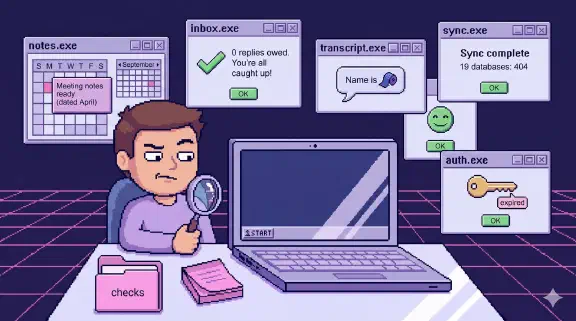
What Is Tribal Knowledge? Five Places Ours Hid From Our AI

Tribal knowledge is what people in a company know but never wrote down: how a process actually runs, why a price is what it is, who has the login to the payment processor. Institutional knowledge is the bigger set, everything the company knows, including what’s written in SOPs, contracts and wikis. Tribal knowledge is the slice that leaves when a person leaves. Some people avoid the term because of its baggage and say “undocumented knowledge” or “institutional memory” instead, which is fine. The problem is the same under any name. Adding AI changes the stakes in one specific way. An AI can only answer from what it can read, and when the written copy is wrong, it answers wrong with complete confidence.
We run our company on a git repository the AI reads. Over the past few months I went looking for the places where our knowledge was missing or wrong, and found five:
- Heads and private AI memory. Six early rulings lived in one person’s memory files. Now there’s one shared rulings file the commands load.
- Docs that are confidently wrong. A README called a live job “Planned.” Now we check docs against the live system and date the check.
- Files search can’t see. An invoicing SOP was saved as
.groovy. We renamed it, and now ask whether the AI can reach a file at all. - Two places at once. Payments was documented five times across the repo and Notion. Now each document has one home, and we repointed 56 references.
- Access only one person knows. Who holds which login. Now there’s an access registry Claude reminds us to update.
1. In people’s heads, and in their private AI memory
The obvious hiding place is someone’s head. The less obvious one is their AI assistant. Claude Code keeps a private memory on each person’s machine (its auto memory is machine-local and isn’t shared across machines), and when we started a company-wide log of rulings in July, six of the first ones came straight out of one person’s private memory files. Those rules had been shaping that person’s sessions and nobody else’s.
The fix was a single append-only file of decisions that the proposal and estimate commands load before they write anything (details here). For onboarding, this means a new hire’s AI reads the same rulings as mine on their first day, without anyone remembering to tell them (what that looked like for our last three hires).
2. In docs that are confidently wrong
I’d already found docs that described automation that never ran: eight scheduled jobs that had never received a request (that story, and the feedback loops that turned out to be among them). The opposite problem is sneakier.
Our automations README described a job called deadline-alerts as “Planned (not yet implemented).” It was 474 lines of code that Cloud Scheduler had been running every weekday at 9am. It also edits data: every morning it flips overdue milestones in Notion from Upcoming to Missed, and other jobs read those statuses. The same README said our founders’ morning digest was “NOT YET SCHEDULED.” Its trigger existed and was enabled. A check of the README against the live scheduler on September 7 caught both.
This one nearly cost us a bug. We were building a weekly project health report with Claude (the project management side of that), and because the docs said deadline-alerts wasn’t running, the new report’s overdue check nearly ignored the Missed status. In the words of the commit that caught it, the report would have gone blind on “exactly the projects it watches.” The AI had read the documentation correctly, and the documentation was wrong.
Smaller example: our finance README says the categorizer has 73 vendor rules. The rules file has 151. The tool learned new rules as it went, and the sentence describing it was written once and never touched again.
What we do now: when we change a job, we check every claim in its docs against the live system (the scheduler, the actual file), and the corrected section says what it was verified against and when. A doc that says “live and enabled, verified 2026-09-07” is a lot easier to trust than one that just says “live.”
3. In files search can’t see
One of our invoicing SOPs had a .groovy extension. It was plain markdown with the wrong file ending. Every tool we have that looks for documents scans for *.md: the nightly janitor, the wiki graph, and the library our search uses. So the SOP for how we bill clients was invisible to all of them. A person browsing the folder would have found it. The AI never could.
The fix was a rename. The lesson: when you hand knowledge to an AI, “is it written down?” stops being enough. You also have to ask whether the AI can actually reach it, whichever way you give it your data.
4. In two places at once
In September we inventoried every SOP, charter and policy in the repo against our Notion documents database, which had 90 rows. The values and policy documents didn’t exist in Notion at all. No row in the database contained the words “value,” “ethos,” “privacy,” “policy” or “fee.” The SOPs had the opposite problem: six clusters where the same process was documented on both sides, with nothing saying which copy was current. Payments alone had two documents in the repo and three in Notion. (Getting the SOPs right in the first place is its own problem, and we now have AI draft them from what actually happened.)
The Notion side had its own drift. The Status field was blank on 76 of 90 rows. Thirteen rows belonged to someone who no longer worked with us, and two of those were marked Approved. One row was titled “(stale)” and was still searchable like any other page. Every one of those is a place where a new hire, or an AI answering a new hire, can read the wrong document and act on it.
We moved 18 documents into Notion and deleted 16 from the repo, so each one had a single home. Even the move took some engineering. The Notion API caps each piece of text at 2,000 characters and each request at 100 blocks, so Claude wrote a small converter (with 34 tests) that splits our markdown into blocks Notion will accept. Then we repointed 56 references across 33 files, including the engagement letter templates and the contractor onboarding SOPs, so no command or doc still pointed at a deleted file. Each Notion page opens with a line saying where its source of truth is.
Two exceptions were worth keeping. ETHOS.md stayed in the repo, because three of our commands and one skill read it at runtime as a preamble, so it works more like configuration than like a document. And dated records (old plans, meeting digests) kept their original wording and paths, because rewriting them to point at the new location would falsify what was true when they were written.
The move broke something quietly too. A test had been checking that our standup bot’s questions matched a section of one SOP. Once that SOP lived in Notion, the test skipped itself without failing, which looked like coverage we no longer had. We deleted it and wrote down that the risk it guarded is now unguarded. That’s worse than having the test, but at least it’s honest.
5. In access only one person knows about
The last kind of tribal knowledge is who has the keys. The repo keeps an access registry with one page per platform: who has access, MFA status, what it costs. The root CLAUDE.md tells Claude to ask whether the registry needs an update whenever a new tool, account or credential comes up in a conversation. That makes the AI the one doing the remembering.
When two contractors left, offboarding was a pass through those pages checked against each platform’s live console, instead of a guess. The rulings post has the numbers, including one registry page that had drifted to list a different platform’s users.
What I’d check first in your company
You don’t need a repository to find these. Pick five questions a new hire asks in their first month and trace where each answer actually lives. You’ll find answers that exist only in a founder’s head, docs that describe how things worked a year ago, and at least one process documented twice with different steps. Fix the ones the AI would read first, and date-stamp what you verified.
If you’re a founder and you’re the person everyone asks, the founders page describes what I set up for exactly that: an AI your team asks instead of you, which answers from your company’s own files and shows the source. You can learn to build it yourself with coaching, or I can build it for your team in 14 days.