Can Claude Delete Emails and Files? What Each App Allows
Yes, Claude can delete emails and files in most of the apps a firm connects, but usually to the trash, not for good. By Anthropic’s and each maker’s own docs, it can trash Drive files, move Outlook mail to Deleted Items, trash Notion pages, and delete Dropbox files and QuickBooks invoices. Anthropic’s own pages disagree on Gmail and Google Calendar. Cowork can permanently delete files in a folder you share, and asks first. An owner can block every delete for the whole team in a few settings.
I read the directory listings, Anthropic’s help articles and each maker’s docs. I haven’t run these deletes on a live account, and the tests that would settle the open rows are at the end. Nothing here comes from watching Claude delete our files.
What Claude can delete, app by app
Eighteen apps in 20 rows, since Microsoft 365 reaches three places. Each name links to its safety post; the connector table counts every write tool.
| App | What Claude can remove | Where it goes | Time to get it back |
|---|---|---|---|
| Gmail | Not confirmed: the listing shows trash_message and trash_thread; Anthropic’s help article lists no trash | Trash, if it can | 30 days in Gmail Trash |
| Outlook mail | Threads, batches of messages, drafts | Deleted Items | Until someone empties it, then two weeks by default on a work account |
| Outlook calendar | Events (outlook_delete_event) | Not stated | Not confirmed |
| SharePoint and OneDrive | Files and folders, with their contents | Recycle bin | 93 days on SharePoint |
| Google Drive | Files (trash_file) | Trash | 30 days |
| Google Calendar | Events (delete_event), off every invitee’s calendar if you created them | Not confirmed for the connector | 30 days in the calendar’s trash, when it lands there |
| Dropbox | Files and folders (delete) | Deleted files, by Dropbox’s help page | 30, 180 or 365 days, by plan |
| Notion | Pages and databases, up to 20 per call | Trash | 30 days |
| Slack | Nothing; it can overwrite a canvas | None | None |
| HubSpot | Nothing; it can unpublish pages and blog posts | None | None |
| QuickBooks | Invoices and estimates after you confirm; recurring invoices too, by the tool list | Not confirmed | Not confirmed |
| Xero | Nothing; read-only | None | None |
| Stripe | Whatever a DELETE call reaches, through stripe_api_write | Depends on the object | Not confirmed |
| Ramp | No delete tool found; one unexplained clear_table | Not confirmed | Not confirmed |
| Gusto | No delete tool listed | None | None |
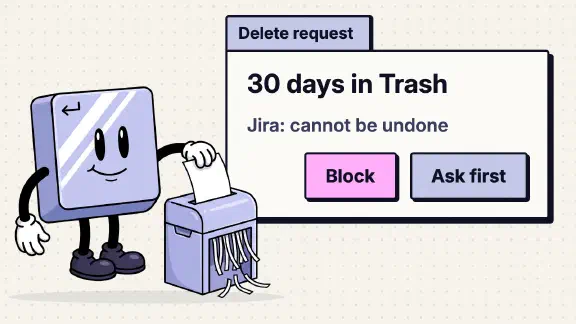
| Jira | Issues, comments, attachments, once an Atlassian admin turns it on | Permanent | “Cannot be undone” |
| Shopify | Not confirmed: graphql_mutation could reach productDelete | Permanent, if it does | Shopify: “can’t be recovered” |
| Fireflies | Nothing; three read tools | None | None |
| Cowork (your files) | Any file in a folder you share | Permanent, by Anthropic’s word | None stated |
| Claude in Chrome | Anything a site you’re signed in to lets you delete | Wherever that site puts it | The site’s own window |
Show the data
| Where a delete goes | Rows |
|---|---|
| To a trash or recycle bin | Outlook mail, SharePoint and OneDrive, Google Drive, Dropbox (by its beta server’s docs), Notion |
| Permanent | Jira, Cowork (your files) |
| Not confirmed | Gmail, Outlook calendar, Google Calendar, QuickBooks, Stripe, Ramp, Shopify |
| Wherever the site puts it | Claude in Chrome |
| No delete tool | Slack, HubSpot, Xero, Gusto, Fireflies |
Whether Claude asks first depends on the owner’s setting for that tool and the person’s mode. Three add their own check: Intuit says QuickBooks deletes “require your confirmation,” Anthropic says Cowork asks before permanent deletes, and Claude in Chrome asks before permanent deletions in any mode.
Can Claude delete emails from Gmail?
Not confirmed, and Anthropic’s own sources are why. The directory listing for the Gmail connector names 29 tools, among them trash_message and trash_thread. Its full list, as our connector table copied it on November 1, adds untrash_message and untrash_thread to undo them, and no tool that deletes permanently. Anthropic’s help article lists search, drafts, send and “labels and threads,” with no trash. Anthropic’s Gmail doc page says the connector “can’t create, send, or modify” email at all, which the help article contradicts on sending. Google’s own reference for the same server names 11 tools, none of them trash.
If it can trash, Gmail keeps a deleted message in Trash for 30 days, and a deleted draft doesn’t go to Trash at all. One more tool to watch: create_filter. A Gmail filter can delete mail that hasn’t arrived yet, and nothing I read says whether Claude’s filter tool can set that action. The Gmail post covers approvals and Auto mode for sending; the same settings govern trash.
Can Claude delete emails from Outlook?
Yes, to Deleted Items. Anthropic’s Microsoft 365 security guide lists outlook_trash_thread and outlook_batch_delete_messages, which move mail to Deleted Items, and outlook_untrash_thread to bring it back. On a work account an admin decides which write tools run; on a personal Microsoft account, “There’s no admin setting, so write tools are available once connected.”
Deleted Items isn’t a 30-day bin. In Exchange Online, the default policy has no tag that empties it on a timer, so mail stays until someone empties the folder, unless your admin set one. After that, Exchange keeps it recoverable for two weeks by default, and an admin can raise that to 30 days.
The connector also deletes calendar events and SharePoint or OneDrive files. Files go to the recycle bin, and on SharePoint they stay restorable for 93 days from the delete. The trash and file-delete tools aren’t on Microsoft 365’s list of limited tools. So they can be set to Always allow today (in Cowork, only if an owner turns on Allow “Always allow” for connector tools). The Microsoft 365 post has the rest.
Can Claude delete files in Google Drive?
Yes, to the trash. The listing has trash_file, and Anthropic’s help says Claude can “Share, move, and trash files.” Google’s reference shows 8 tools without it. In June a user reported that no trash tool existed; by August another user wrote that trash_file “succeeded” on a shared drive. The tool set changes under you.
Files stay in Drive’s Trash for 30 days, then they’re deleted forever. In the Drive post I said I’d block share_file and trash_file for the whole organization, “so nobody has to remember.”
Can Claude delete my files in Dropbox, Notion and other apps?
Dropbox. The connector has one delete tool. Dropbox’s help page says the delete on its own beta server moves files “to Deleted files. Files aren’t deleted permanently.” Claude’s listing points to a different server address, and I haven’t tested whether its delete does the same. How long you can recover them depends on your plan: 30 days on Basic, Plus and Family, 180 days on Business, 365 on Business Plus and Enterprise. The restore is yours to do: Dropbox’s page lists restore tools, but Claude’s listing has none.
Notion. By Notion’s docs, Claude can move up to 20 pages to Trash per call, and databases go “with all of their rows.” Trash keeps them 30 days by default. The Notion post explains why overwriting worries me more there.
Google Calendar. Anthropic’s help article says Claude can “Create, update, and delete events,” and the listing has delete_event. Anthropic’s Calendar doc page says it “can’t create, modify, or delete calendar events.” Deleting an event you created takes it off every invitee’s calendar too, so my advice in the Calendar post stands: “Block delete_event, keep the other writes on Needs approval.”
QuickBooks. Intuit says Claude can delete an invoice or estimate, and that “Destructive actions … require your confirmation.” It doesn’t say whether one can come back.
HubSpot, Jira and the rest. HubSpot: “The connector doesn’t support delete actions,” though it can unpublish pages and blog posts. Jira’s delete tools are off until an admin enables them, and when on, they “Permanently delete” with no undo.
Can Claude Cowork delete files?
Yes, permanently, in any folder you give it. Anthropic’s Cowork safety page says Claude “can read, write, and permanently delete these files” and “always asks before permanently deleting files, in any mode.” None of Anthropic’s pages I read says whether a Cowork delete lands in the macOS Trash.
If you searched “claude cowork can’t delete files,” two GitHub reports match, one from April and one from July. In both, the delete permission dialog never appeared and the delete failed with “Permission denied.”
The report that worries me runs the other way. A user wrote in April that a Cowork session writing to a mounted folder replaced the folder’s contents, with no delete prompt. It’s one user’s report, labelled a duplicate and closed by its reporter. Still, no prompt asks before an overwrite, which is why the steps below give Cowork a copy. The Cowork post has its other settings.
Can Claude in Chrome delete things?
Anything you could click. Claude in Chrome works in your own browser, “with the accounts they’re already signed in to,” so its row in the table is whatever those sites let you delete. Anthropic’s inbox clean-up example uses Chrome, not the Gmail connector, and “waits for your approval before deleting.”
Anthropic’s permissions guide says Chrome asks before “Permanent deletions (emptying trash, deleting emails, files, or messages)” whatever your mode. Its Cowork safety page goes further: “we strongly advise against using either to manage or take actions involving sensitive information.” Claude in Chrome is on by default on Team plans.
Does Claude ever delete anything permanently?
Rarely, through the directory connectors. Drive, Outlook mail, SharePoint and OneDrive, and Notion trash or recycle, and so does Dropbox by its beta server’s docs. Where Gmail’s and both calendars’ deletes go isn’t confirmed. Permanent deletes come from Cowork, from Jira once an admin turns it on, and from connectors outside the directory. Composio’s Gmail toolkit, one of the third-party routes into Gmail, includes tools that permanently delete messages and threads. One of them deletes “bypassing Trash,” and its own page lists every action as what an agent gets “out of the box.” Custom connectors connect Claude to services “that haven’t been verified by Anthropic.” Each one you add brings its own rows.
An overwrite can do more damage than a delete, because there’s no trash to check. Notion’s replace_content, Drive’s update_file and Slack’s slack_update_canvas all rewrite what’s there.
Can Claude delete emails for me in bulk?
One at a time, unless the mode says otherwise. By default, outside Auto mode, Anthropic says each action asks for your approval, so a request to clear 200 emails is 200 clicks or one batch tool. In Auto mode those actions “can run without asking you, unless an automated check flags them as risky,” and “The check can miss risky actions.”
For a real clean-up, I’d search, select all and delete in Gmail or Outlook myself, and see what goes. My rule from our email drafter applies: for anything irreversible or external, “a person approves before it goes out, in a separate step from whoever wrote it.” A trash you can undo for 30 days is close to reversible; a filter that deletes next month’s mail isn’t.
How to block every delete
These are owner settings on Team and Enterprise, and they apply to everyone: “individual users can’t override it.”
One correction to my own advice first. My team check says: “For every connected tool, set anything that sends, deletes or changes data to Needs approval.” For deletes, that isn’t enough. Anthropic’s Cowork permission table shows a Needs approval tool runs without asking in Skip mode, and in Auto mode unless the automated check flags it. Only Blocked stops it in every mode. My connector table already starts deletes at Blocked, and that’s the setting below.
- Block delete and trash tools, connector by connector. Customize, Connectors, pick the app, Tool permissions. Set the tools in the table below to Blocked and other writes to Needs approval.
- Decide who can skip approval. In Organization settings, Capabilities, Allow “Automatically approve” mode is on by default. Turning it off keeps Auto mode from skipping approval; Skip mode still can, which is why deletes go to Blocked. Leave Allow “Always allow” for connector tools, under Cowork, off; it is off by default.
- Set Microsoft 365 now, not in December. In Organization settings, Connectors, Microsoft 365, choose a setting for each write tool. For orgs that added it before November 9, 2026, the limit on 11 tools lifts on or after December 9, 2026, and any you haven’t set become Needs approval. “A tool you set to Blocked stays Blocked.”
- Don’t count on scheduled tasks to skip deletes. Anthropic says “Scheduled tasks can lose access to tools on Needs approval.” Can, not will. A nightly clean-up job is safe from deleting only if the tool is Blocked.
- Give Cowork a copy. A dedicated folder holding copies, never the live client folder, and keep backups.
- Turn Claude in Chrome off for staff who don’t need it: Organization settings, Claude in Chrome, Enable for your team.
- Know where the record lives. Drive lets Claude “list recent changes.” On Workspace editions that log Drive events, the admin’s Drive log records file activity, though “Not all activities in Drive are logged.” Microsoft 365 tags only mail Claude sends: “File writes, calendar writes, and Teams messages aren’t currently tagged,” so a trashed thread carries no Claude mark. Where each app logs it.
- Read the tool list of any connector from outside the directory before adding it.
Copy this into your setup notes:
| Tool | Setting | Why |
|---|---|---|
Gmail trash_message, trash_thread, delete_label | Blocked | Trash, if your screen shows them |
Gmail create_filter | Blocked | A filter can delete mail that hasn’t arrived |
Drive trash_file | Blocked | Gone for good after 30 days |
Drive update_file | Needs approval | Overwrites have no trash |
Calendar delete_event | Blocked | Removes your events for every invitee |
Microsoft 365 outlook_trash_thread, outlook_batch_delete_messages, outlook_delete_draft, outlook_delete_filter | Blocked | Not on the limited list, so Always allow is possible |
Microsoft 365 sharepoint_delete_item | Blocked | Whole folders, contents included |
Microsoft 365 outlook_delete_event | Blocked | Set it now so December doesn’t decide |
Dropbox delete | Blocked | No restore tool on Claude’s side |
Notion notion-delete-pages, notion-delete-databases | Blocked | Up to 20 per call |
Notion notion-update-page | Needs approval | replace_content rewrites a page |
QuickBooks qbo_sales_delete_invoice, qbo_sales_delete_recurring_invoice, qbo_sales_delete_estimate | Blocked | Recovery not documented |
Jira executeDestructive | Blocked | Permanent; leave delete_jira off in Atlassian too |
Stripe stripe_api_write | Blocked until you need it | One switch covers every DELETE |
Shopify graphql_mutation | Blocked | May reach a delete Shopify calls irreversible |
A setting beats an instruction the model is asked to follow.
Claude deleted my files: how to get them back
Show the data
| App | Days to get it back | What the source says |
|---|---|---|
| Dropbox (Advanced, Business Plus, Enterprise, Education) | 365 | Standard recovery period by plan |
| Dropbox (Professional, Essentials, Standard, Business) | 180 | Standard recovery period by plan |
| SharePoint recycle bin | 93 | Counted from the delete, across both recycle-bin stages |
| Gmail Trash | 30 | Days after deletion; only if your connection has the trash tools |
| Google Drive Trash | 30 | Days in Trash, your own Drive |
| Notion Trash | 30 | Days in Trash by default |
| Dropbox (Basic, Plus, Family) | 30 | Standard recovery period by plan |
| Outlook Deleted Items | No timer by default, then 14 | No auto-delete in the Default MRM Policy; 14 days (up to 30) once it leaves Deleted Items |
| Cowork permanent delete | None | Anthropic calls it permanent |
| Jira delete | None | “Cannot be undone” |
Start in the app, not in Claude:
- Gmail and Google Drive: Trash, then move it back or Restore, within 30 days.
- Google Workspace, after the Drive trash is emptied: an admin can restore the files within 25 days of the emptying.
- Google Calendar: the calendar’s trash, on a computer. Deleting “This and following” events of a recurring series skips the trash and can’t be restored.
- Outlook: Deleted Items first. If it’s been emptied, Recover Deleted Items, within two weeks by default.
- SharePoint and OneDrive: the site’s recycle bin. Not there? A site collection admin may restore it from the second stage.
- Dropbox: Deleted files. In a shared folder you need Can edit access to restore, and a team admin can filter by who deleted.
- Notion: Trash, for 30 days. For an overwrite, version history: 7, 30 or 90 days on Free, Plus and Business.
- Cowork: your own backup. Anthropic calls these deletes permanent.
If Claude Code deleted a database or a home directory, that’s a developer tool with its own permission system; see Is Claude Code safe?. Deleting your own Claude chats is a different question again: what happens to what Claude already read, and how long Anthropic keeps a deleted chat.
What I couldn’t confirm
- Whether Gmail’s trash tools are on your connection. Open Gmail’s Tool permissions as an owner. If
trash_messageis there, block it. - Whether a Cowork delete reaches the macOS Trash. Assume it doesn’t, and work on copies.
- Whether a connector’s Calendar delete lands in the trash and emails attendees. Google’s reference gives two defaults for notifications. Block
delete_eventuntil you’ve tested it on a test event.
A listing alone undercounts. When I sorted 33 connectors for the table on October 30, Notion’s listing showed no delete tool, though Notion’s docs list one. Microsoft’s listing showed only reads, while Anthropic’s guide listed 35 writes. So every row above checks the maker’s docs too.
Keep the deletes with a person
Most of Claude’s deletes are recoverable. Fix the few that aren’t. If you’d rather not go through every connector yourself, my setup sets every delete tool to Blocked and every other write to Needs approval, for one team of up to 25, starting at $3,997. I sell that, so read the table above as the free version. One job live on your real work by day 14, or all your money back. ChatGPT gets the same questions.
Sources read November 18, 2026; the Gusto and Fireflies rows come from our connector table.