Can My Employer See My Claude Chats?
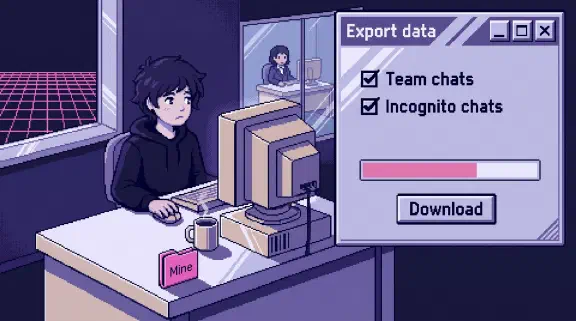
Yes, if your seat is on your company’s Claude Team or Enterprise plan. Anthropic says nobody can browse your chats in the app, but at least one person can export the chats you haven’t deleted, incognito chats too. Keep private things off that seat. Settings, then Account shows your Primary Owner, who can export.
I haven’t tested this or run an org export. It comes from Anthropic’s docs and a few vendor pages as of October 30, 2026, and it isn’t legal advice.
Can a Claude Team admin see chat history?
Not inside the app. Anthropic’s tutorial for nonprofits says “Owners and Admins can’t browse conversations in the app either,” and the roles table lists no chat-viewing permission for any role.
| Who | Can they get your chat text? | What else they get |
|---|---|---|
| Personal (Free, Pro, Max, Ultra) | On your own email, I found no Claude route. On your work email, an Enterprise org can claim the account after notice | Nothing, unless the account is claimed or moved into an org |
| Team User or Admin | No route in the docs | Admins invite and remove members. No analytics |
| Team Owner | No route to stored chats in the docs. Prompts only if telemetry capture is on | Per-person usage and the spend CSV |
| Team Primary Owner | Yes, by export | Everything an Owner gets |
| Enterprise | Yes. The Primary Owner or a custom role with Privacy set to “Can manage,” by export. Anyone with a Compliance Access Key, which every Owner can create once the API is on | Admins see usage without spend. Owners also get audit logs |
The export emails its link to the Primary Owner. It includes all memory data.
The export still includes a removed user’s data. Custom retention is an Enterprise feature, so on Team, assume chats stay until someone deletes them.
Enterprise adds the Compliance API, which reaches chats, files, projects and session transcripts. If your company runs an inference hook, the conversation transcript also goes to a server the company or its vendor runs, before each answer.
Can my employer see my incognito Claude chats?
Yes. Incognito chats are “included in organizational data exports available to account Owners,” and in the Compliance API on Enterprise. The export page and roles table say Primary Owners only, so I’m going with those. Those chats stay 30 days or longer under your org’s policy.
Will I know if my boss exports my chats?
Assume not. Anthropic’s docs mention no notice to members. On Enterprise, the audit log records org_data_export_started, but Users can’t read it. Team has no audit logs.
What usage data can my boss see in Claude?
Plenty, without an export. Owners get this from the analytics pages.
- A CSV with one row per person per model, up to 90 days back: your email, product, model, request count, tokens and “estimated usage-credit spend.” The spend column depends on usage credits and I couldn’t confirm what it shows on Team, so open the CSV before describing it to staff.
- Each person’s email and lines of code accepted this month.
- Connector read and write counts. Microsoft 365 connector calls also land in your company’s Microsoft audit log with the user and the resource.
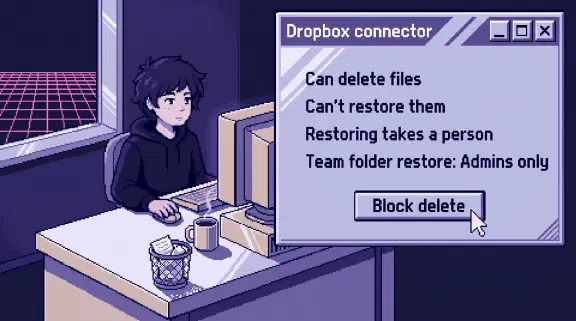
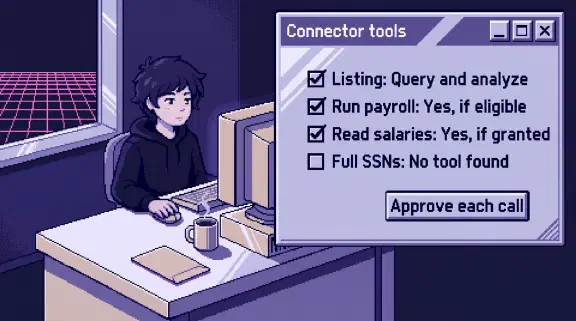
For the connectors, see what each can change.
Can my employer see my Claude Code prompts?
On Enterprise, yes, if the Compliance API is on, unless your org has zero data retention. It captures local sessions on Anthropic’s side while you’re signed in with your Enterprise account, with nothing installed on your machine. Telemetry and inference hooks can reach your prompts even with the API off.
On Team, assume your prompts could be recorded until an Owner tells you otherwise, so ask. The documented route is OpenTelemetry for Claude Code, off until someone enables it, with prompt text off by default. IT can turn both on through a managed settings file, and an Owner can from the admin console. The console route shows an approval dialog naming the endpoint variable in a terminal, but not in VS Code’s chat panel or the desktop app’s Code tab, so a missing dialog doesn’t mean it’s off. Don’t assume the org export skips Claude Code sessions (unconfirmed, see below).
Claude Code stores transcripts in plaintext under ~/.claude/projects/ for 30 days by default.
On a Console org or API key, none of this covers you. Admins there have the Activity Feed, and I didn’t research that setup.
Does my Cowork history stay on my laptop?
Local sessions do, and Anthropic says “admins cannot centrally manage or delete it.” Enterprise admins can still retrieve it through the Compliance API. On Team, running Cowork in the cloud is on by default, and those sessions save to your Claude account.
If your company sets up Cowork’s telemetry, it always includes your email and connected folder paths, and a device policy can add prompt text. Older Claude Desktop versions may send prompt text with no policy set, so check versions before telling staff prompts aren’t captured. More on Cowork.
If I delete a chat, is it gone from an export?
From later ones, yes. Deleted messages, files and projects “will not be included in data exports initiated after the deletion.” An export already downloaded stays downloaded.
On Enterprise, the Compliance API keeps listing a deleted chat without its content, and any company archive keeps its copy. If your company has told you to preserve records, ask before you delete anything. I found no native legal hold, so if you need one, talk to a lawyer now.
Can my employer see my personal Claude account on a work laptop?
Through Claude, I found no route if the account is on your own email, though a managed settings file might still apply (see below). For anything private, use your own account on your own device. On a work laptop, watch these.
- The network. Microsoft’s Purview names Claude among AI services it can watch. If your company runs tools like that, treat what you type as visible.
- The disk. The Claude Code folder above is readable by anyone who can read the laptop. Local Cowork and Desktop history also sits on the machine, per a third-party deployment page.
- Your email address. On Enterprise, admins can claim personal accounts on the company’s verified domain, with notice and a deadline at least 30 days out.
- Moving your account. If you bring a personal account into a company org with your data, assume those chats fall inside the export, though Anthropic doesn’t say so. The other choice on the move screen, “Delete your data,” closes the personal account and brings nothing across, so download first if those chats are private.
What should I tell my team about Claude privacy?
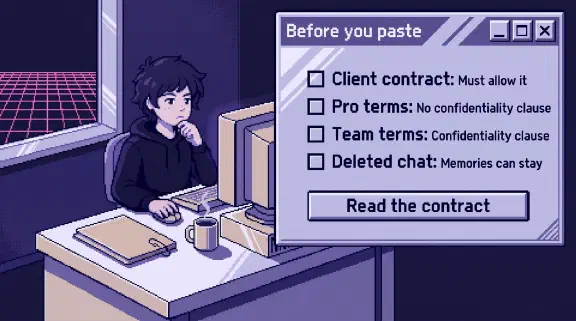
Paste this into a message and fill in the brackets. Delete anything untrue.
Claude gives us no way to browse your chats in the app. [Name] is our Primary Owner and can export our organization’s conversations, including incognito chats, except what’s been deleted. We’d do that only for [the reasons you’d use], and [second name] would know first. Owners can see per-person usage, such as requests, tokens and, for Claude Code, lines of code. [On Enterprise, Admins can see usage too.] We [have / haven’t] turned on telemetry that records prompts. A personal Claude account on your own email isn’t in our org, and we can’t see it through Claude. Don’t move it into our workspace with your data unless you mean to. This laptop and network are company equipment, and [our monitoring policy] applies.
On Enterprise, staff should assume more people can reach their chats, so name them: who holds or can create a Compliance Access Key, who runs any inference hook, and any custom role with Privacy or Identity & Access set to “Can manage.” Anthropic warns the Identity & Access one can expand its own access. For who connects what, use the one-page connector policy.
The UK’s ICO guidance on emails and messages (under review, and applying it to AI chats is my analogy) requires advance notice, a clear policy and a data protection impact assessment before monitoring content. New York requires written notice of electronic monitoring on hiring. I didn’t check anywhere else, so ask a lawyer.
Who should be the Primary Owner of a Claude Team?
Whoever your team would trust with a copy of everything. There’s only one per organization. In a 10-person company I’d pick the founder who least wants to read anyone’s chats.
Owners handle billing, roles and integrations without the export, so your office manager or outside IT person doesn’t need the top role. An Owner can still turn on Claude Code prompt telemetry, so choose Owners with care too.
I’d add a two-person rule: nobody runs an export without telling a second named person first. Team has no audit log, so the rule is only a promise.
I have a stake: my setup work has you add me to your Claude Team and includes a day-30 check on who’s using it, so ask which role I’d hold.
What I couldn’t confirm
- Claude Code and Cowork in the Team export. The only statement I found is on the page for HIPAA-ready Enterprise plans, which says exports don’t include local session content. Don’t promise your team either way.
- Uploaded files in the export. One Anthropic page says the export “may contain” them. Assume it does.
- Connector results in the export. Replies are conversation text, so assume the Primary Owner can read what Claude quotes from your mailbox.
- Work-laptop settings on a personal login. As I read the docs, Claude Code writes its folder whatever the account. I couldn’t tell whether a managed settings file applies to a personal login. Assume both do.
A Primary Owner can settle the first three with a test export. Tell the team first, since it contains everyone’s chats. Put a made-up word in a throwaway user’s chat, Cowork session, Claude Code session and connector call, upload one file, search the export, then delete the download.
What should I do next?
Pick the Primary Owner on purpose, then send the team message above this week.
The setup planner gives you a rollout plan, no email needed. Or bring your message to a 30-minute call.