Is It Safe to Connect Claude to Fireflies?
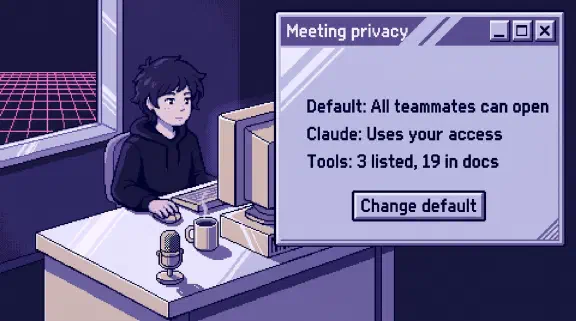
Connecting Claude to Fireflies is safe enough once you change one Fireflies default, and I wouldn’t do it before. By default every teammate in your workspace can open your meetings, including ones they weren’t in. Claude reaches what the person who connected it can reach.
I haven’t tested this connector. Everything about Fireflies here comes from public pages I read on October 31, 2026.
The tool count depends on where you look. The listing in Claude’s directory shows three, all reads. Fireflies’ reference for the same server address lists 19, including one that shares a meeting by email. The table of what 33 connectors can change compares it with your other apps.
Whose meetings can Claude read through Fireflies?
Whatever the person who connected it can open. At the default, that’s a lot more than their own calendar.
Anthropic’s connector guide says “Claude inherits each person’s permissions from the connected service.” Fireflies’ privacy guide describes the default, “Teammates & anyone with link”, this way: “Anyone with the recap link can view it, and all teammates can access it in the #All Meetings tab even if they weren’t in the meeting.”
Put those two sentences together and the HR lead’s call about a raise sits within reach of the intern’s Claude, unless someone changed the setting. The five options, using Fireflies’ labels:
| Privacy setting | Who can open the meeting | Colleague who wasn’t in it? |
|---|---|---|
| Teammates & anyone with link (default) | The workspace, plus anyone holding the link | Yes |
| Only participants & teammates | The workspace, plus invitees | Yes |
| Only teammates | The workspace | Yes |
| Only participants | People invited, outside guests included | No |
| Only me | You | No |
Fireflies also says “participants” can include external attendees, so a client on your call stays on the list. Another Fireflies page calls the last two Participants and Only Owner, so look for those names too.
A colleague’s invite can set the rules for your meeting. When several teammates invite the note taker, Fireflies says it joins for the first one: “The meeting access and share settings will follow that person’s configurations.” Your careful setting doesn’t help if someone else’s invite got there first.
One role ignores all of it. Regular admins respect “Only Me” meetings, but the Super Admin “bypasses all meeting privacy restrictions”. It’s Enterprise-only and takes a signed side letter, so you’d know if you had one. The API docs say it can “query all data in your team’s account”. I wouldn’t connect that account to anything.
Search is what changes. A person browsing All Meetings has to go looking. The reference gives fireflies_get_transcripts a keyword search with a sentences scope, plus filters for organizers and participants. fireflies_get_transcript returns the full conversation. If a meeting is in progress, that tool returns “a point-in-time snapshot of the live transcript”.
Tool settings in Claude can block a tool. They can’t limit it to certain meetings. That gets decided inside Fireflies, so fix it there.
What’s actually in those transcripts?
More than anyone would type. This part I know from our own files.
Our company brain holds 727 meeting transcripts. I wrote up how 46 transcripts got past our gate. When we scanned those 46, the flags fell into three categories: staff compensation and employment details, private personal information, and four transcripts with what looked like credentials. People say out loud what they’d never put in an email, like a raise that hasn’t been announced or a password read off a screen so a colleague can log in.
That post doesn’t name our note taker, and the story isn’t about a vendor. The files got through on a hand commit and an auto-merge. The lesson still applies: a check only counts if the content has to pass through it. Our gate holds any meeting with zero external attendees outright, with no model call involved. On this connection the gate is the privacy setting on each meeting, and unless someone changed it, a default picked it.
Can Claude share a Fireflies meeting with someone outside my company?
Fireflies documents a tool that can, though Claude’s listing doesn’t show it.
The listing shows get_user, get_transcript and get_transcripts at the connector URL https://api.fireflies.ai/mcp. The reference gives that same URL and says “some are read-only while others allow you to take actions like sharing meetings or creating soundbites.”
| What it does | Tools in Fireflies’ reference | Count |
|---|---|---|
| Read meetings, people, channels and analytics | fireflies_get_user, fireflies_get_transcript, fireflies_get_transcripts, fireflies_search, fireflies_fetch, fireflies_get_summary, fireflies_get_active_meetings, fireflies_get_analytics, fireflies_list_channels, fireflies_get_channel, fireflies_get_soundbites, fireflies_get_usergroups, fireflies_get_user_contacts, fireflies_get_rule_executions | 14 |
| Change a meeting | fireflies_update_meeting_title, fireflies_move_meeting | 2 |
| Share or clip | fireflies_share_meeting, fireflies_revoke_meeting_access, fireflies_create_soundbite | 3 |
The share tool takes as many as 100 email addresses. The reference’s own workflow says it shares “with external or internal users”. The owner of a meeting or a team admin can use it, so an admin’s connection can share meetings they never attended. Fireflies’ API schema says that if you leave out the expiry, “the share does not expire”. The soundbite tool has a privacy value of "public".
Fireflies’ older Claude setup guide, marked “Last updated 11 months ago”, lists only the three. The listing warns that “Anthropic does not control which tools developers make available”. So treat the three as today’s list, and look at what your own account shows after you connect.
An owner on Team or Enterprise can set each tool, under Customize, then Connectors, to “Always allow, Needs approval, or Blocked”, and “individual users can’t override it.” If a share, soundbite, move or rename tool shows up, set it to Blocked.
Does Fireflies’ Zero-Day Retention cover what Claude reads?
No. Fireflies’ connector guide says “Zero-Day Retention does not apply to any data processed, stored, or transmitted by external platforms via MCP” and “Fireflies cannot guarantee deletion, storage duration, or non-training of data once it leaves the Fireflies environment.”
So Anthropic’s terms take over. On Team and Enterprise, Anthropic says “we will not use your inputs or outputs from our commercial products” to train by default, unless you report feedback. On personal plans training is a setting. It excludes “raw content from connectors”, but data “may be included if it’s directly copied into your conversation with Claude.” A summary of a salary discussion in your chat is your chat. I’d keep this connector on company plans.
On company plans, Anthropic says “we retain your chats and coding sessions in the product” until someone deletes them. Fireflies’ auto-delete setting clears its own copy, so anything you pulled into Claude stays behind. If you have a retention rule, a legal hold or recording consent duties, ask whoever owns those what this means for you. Fireflies says “You are responsible for following applicable recording and consent requirements.” This isn’t legal advice.
Can someone on a call trick Claude?
Yes, if Claude also has a way to act. A transcript is text written by whoever was talking, guests included, so a spoken instruction lands in it as text. Anthropic’s Cowork safety page says a prompt injection needs two things: Claude “can read information outside your trusted boundary, and can perform actions that could compromise the user.” The three listed tools only read. Turn on your email or Drive in the same chat and you’ve supplied the second half.
Can admins see what Claude read in Fireflies?
Not on most plans. Fireflies’ audit events include MEETING_VIEWED and MEETING_SHARED, and they require “an Enterprise plan”. The pricing page lists audit logs under Enterprise too. On any other plan, keep your own list of who connected.
How do I connect Claude to Fireflies safely?
- Change the workspace default first. An admin goes to Settings, Team, Recording & Privacy and sets Meeting privacy to Only participants, then decides whether teammates may choose their own.
- Fix the history too. The team setting covers “all new meetings”. The personal setting can also apply to “all past meetings you’ve hosted”, so each host has to do their own, or last year’s calls stay open.
- Keep sensitive meetings out. Fireflies is set to “All meetings” by default. Anyone running HR or compensation calls should switch to “Only when I invite”. An admin can add recording rules that skip meetings by keyword in the title. A meeting that was never recorded can’t leak.
- Check the recap email. It defaults to “Everyone on the invite”, outside guests included, and with the link setting, “anyone who clicks it will be able to view the meeting.”
- Connect with OAuth. Fireflies’ API key route puts the key in a config file on someone’s laptop, and Fireflies says it “grants access to meeting transcripts and user data.”
- Test with two people. Record a throwaway meeting with a made-up phrase in it, set to Only me. Have a colleague who wasn’t there connect and search for the phrase. Then flip it to Teammates and search again. Ask Claude to share it with your own second address. Fix any surprise before the rest of the company connects.
What I couldn’t confirm
- Whether a regular member’s connection really returns colleagues’ meetings. The inherited permissions and the filters point that way, and Fireflies’ role table gives members API access to “Accessible meetings only”. The older guide says “Only the user’s meetings are accessible via their own key”. Step 6 settles it for your workspace.
- Whether Claude’s connector exposes any of the 16 tools the listing doesn’t show, and whether its three take the filters the reference gives its
fireflies_versions. - Whether any connector tool can change a meeting’s privacy. The privacy enum page says one option is available “through the API and MCP”, and the reference lists no such tool.
- Whether a read through Claude shows up as
MEETING_VIEWEDin the audit log. - Whether Claude’s connector appears under Integration Permissions, the Business and Enterprise page that shows who connected to each integration. That page doesn’t mention MCP or Claude.
Should I connect Claude to Fireflies?
Yes, if someone will change the default and fix the history first. Asking across a quarter of sales calls is the real use, and sales calls usually hold the least you’d regret. If nobody will own those settings, wait. For the rules around it, use the one-page connector policy in the QuickBooks post.
If you’d rather plan which of your tools to connect, and how, the setup planner asks six questions and gives you a plan without asking for an email. If you want a second look at a list you already have, bring your connected apps to a 30-minute call.